VELOCITY GLOBAL
Invoice Generation
Designed a new invoice generation experience to centralize invoicing data and to simplify the invoice generation tracking and validation process for Employer of Record company Velocity Global.
Quick Glance Summary
Who is it for?
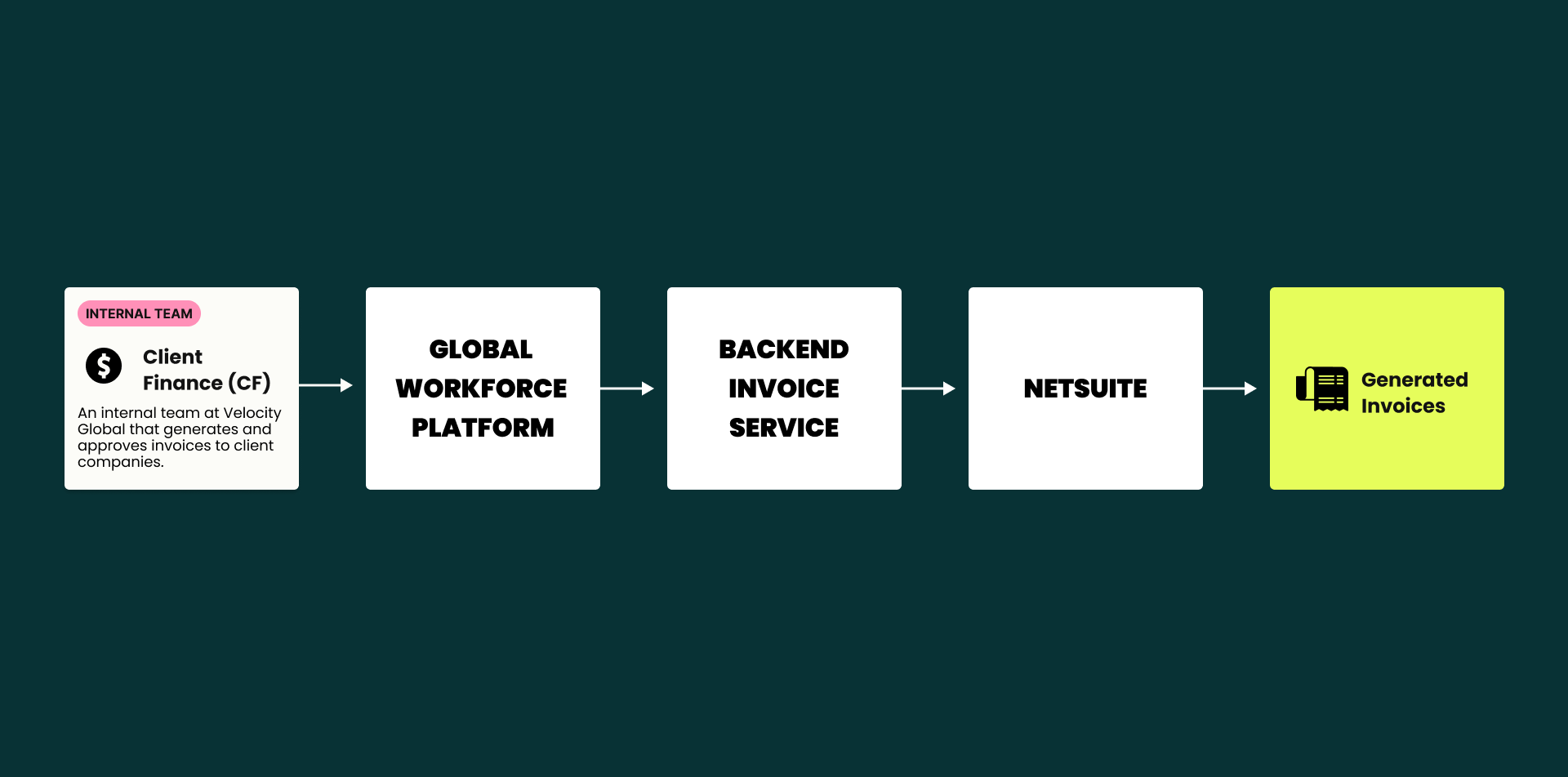
An internal team at Velocity Global called Client Finance that generates and approves invoices sent to client companies that use Velocity Global as their employer of record. (An employer of record is a third-party provider that is legally responsible for another organization's employees.)
What’s the goal?
Decrease the amount of Client Finance manual intervention needed for invoice generation and increase invoice data accuracy. Centralize and standardize the data and workflows that Client Finance users when generating invoices.
What’s the need?
The original backend code for generating invoices is outdated and the code base is difficult to change leading to errors and manual intervention by the Client Finance team. The tracking of invoicing data is also decentralized scattered across various Google Sheets hampering scalability and the ability to access accurate information efficiently.
What’s the solution?
An invoice generation workflow built within Velocity Global’s existing Global Workforce Platform that syncs to the new backend invoice service. This experience creates a centralized place for data that simplifies and standardizes the creation, tracking and validation process for invoice generation.
COMPANY OVERVIEW & PROBLEM BACKGROUND
Global Workforce Platform User Types
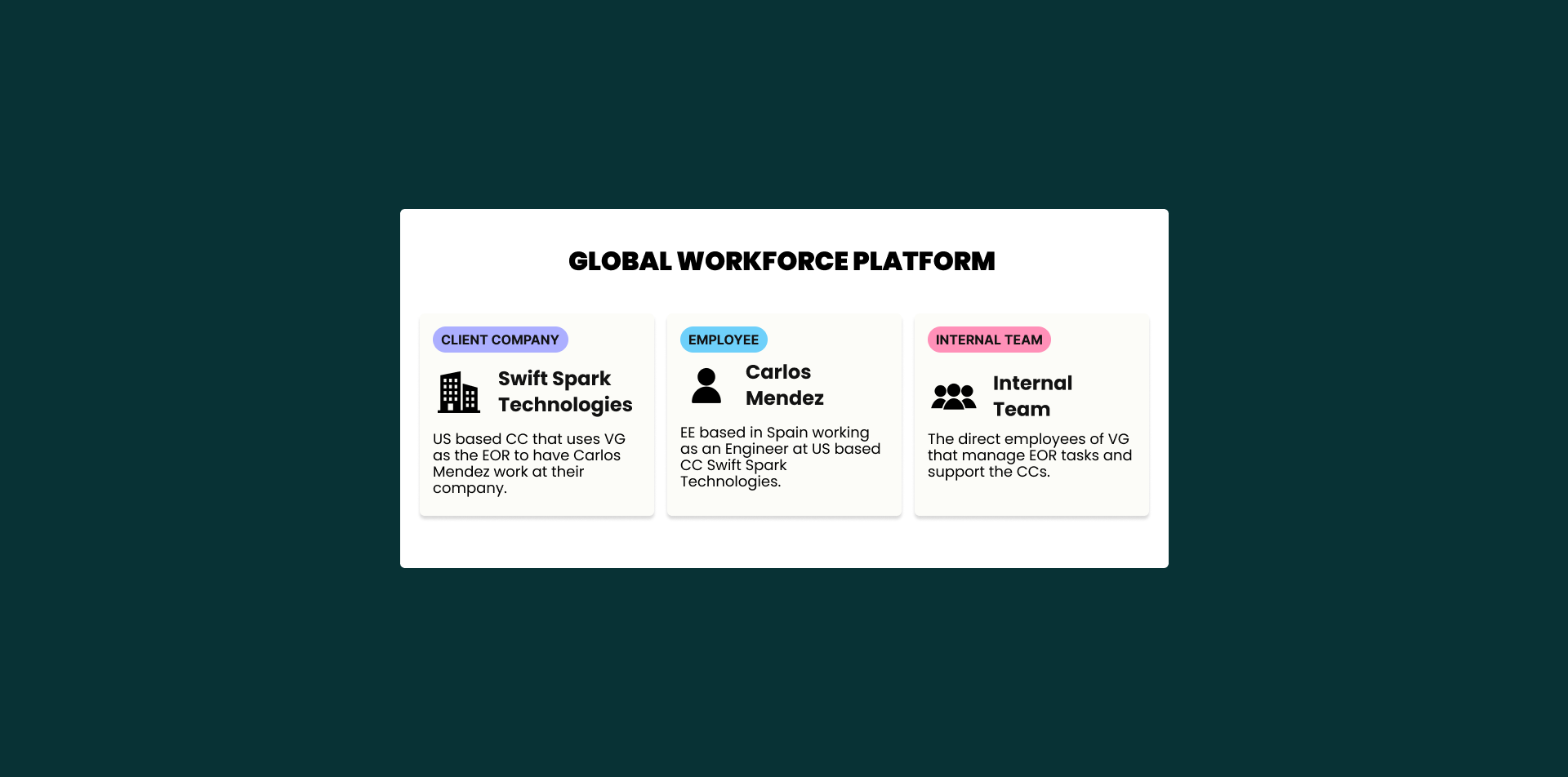
Velocity Global’s Global Workforce Platform has three different user types: Client Company (CC), Employee (EE), and the Internal team. Each type has different permissions and features available to use based on their role.
Client Company (CC) - Access to the Payroll, Time Off, and Time Tracking features and the EE profiles associated with their company.
Employee (EE) - Access to Payroll, Time Off, and Time Tracking features associated with their employment.
Internal Team - Access to everything including Payroll, Time Off, and Time Tracking features and EE profiles, Client Company profiles, etc. associated with all companies.
Invoice Generation Problem Background
Since 2017 Velocity Global has been using the third party software NetSuite to generate CC invoice transactions. As Velocity Global has grown with thousands more supported employees and clients, this original process for invoicing has become outdated and does not allow for client specific customizations or standardized invoicing timelines. This old code leads to errors on invoices and time consuming manual intervention by the Internal Client Finance (CF) team. Because of these issues all calculations and validations will be carried out within a newly built backend invoice service that feeds into NetSuite to create the invoice. CF will need a new experience in the Global Workforce Platform that connects to the new service and NetSuite to initiate the invoice generation process.
How might we design an experience within the Global Workforce Platform for CF to initiate the invoice generation process in the new backend invoice service and NetSuite to decrease manual intervention and increase efficiency and accuracy?
Success Metrics for V1

Reduce manual work hours from 253 hours per month to less than 30 hours per month.
Decrease the average number of invoicing related tickets in a month from our clients by 10% using the average number of tickets per month in Q2 as baseline targeting the following categories of tickets:
Currency/FX Issues
Errors in Fees, Value date, VAT
Other Fee Issues
Timing of Invoices
CURRENT STATE DISCOVERY
Complexities in the Invoicing Process
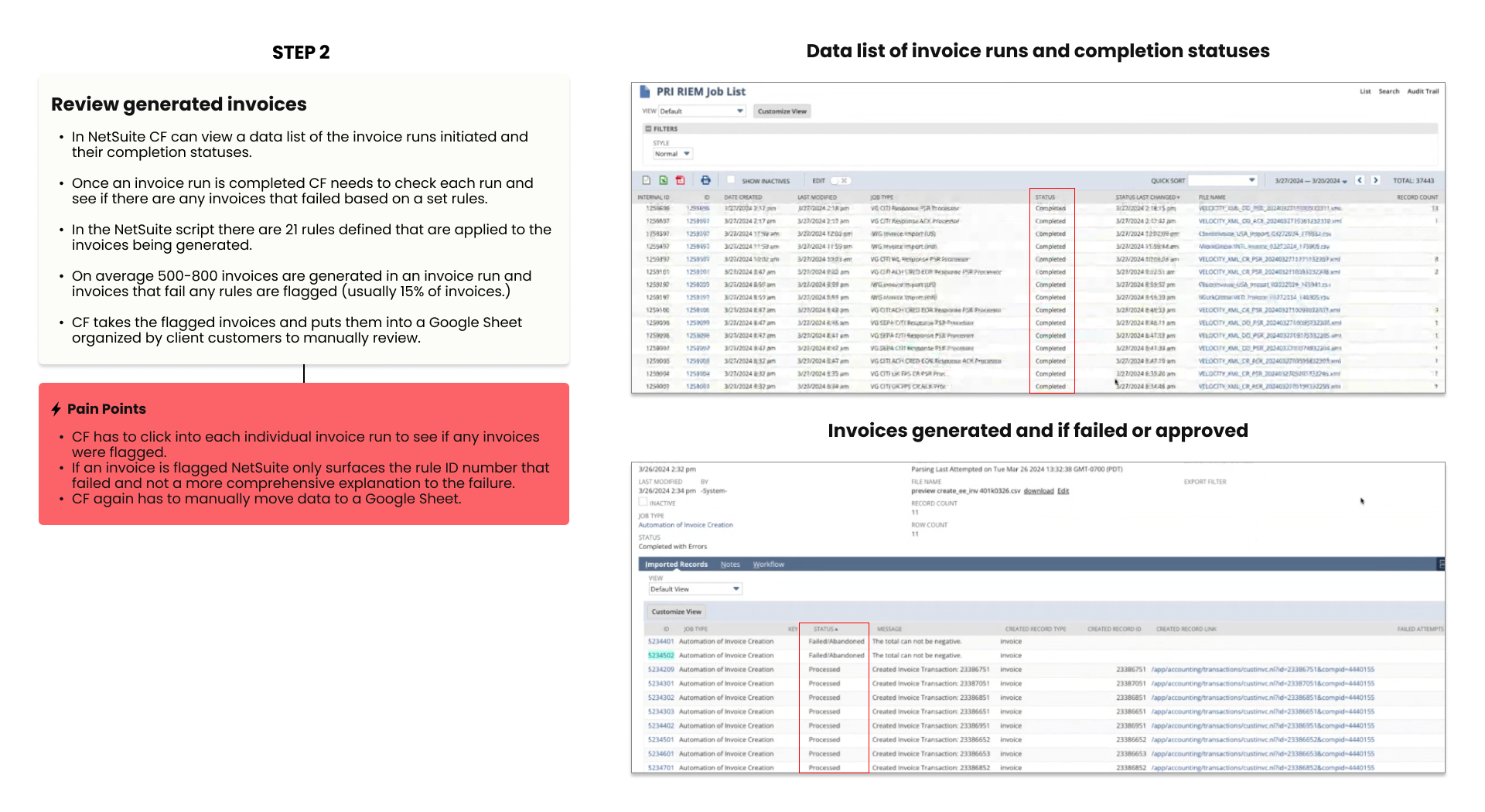
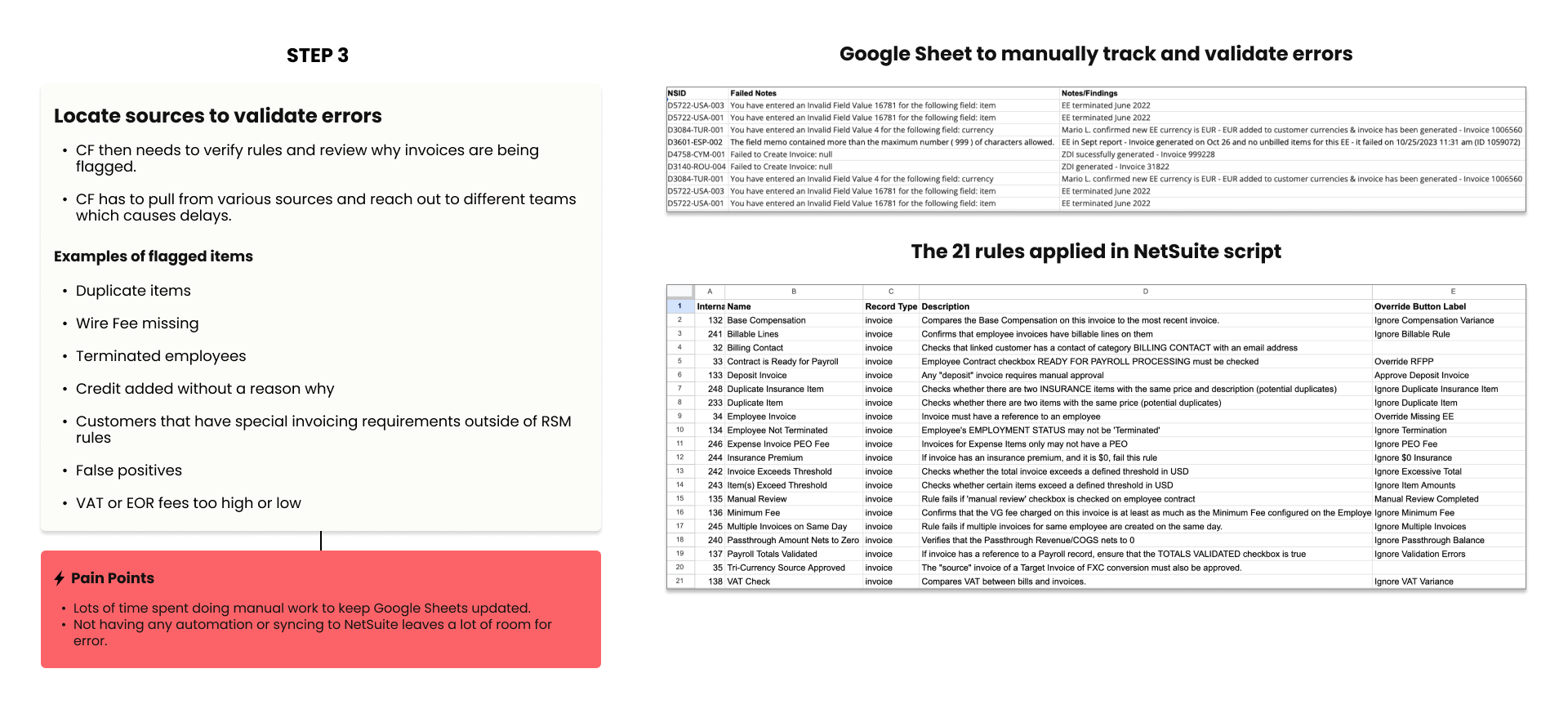
I conducted discovery interviews with my PM, Engineer Lead, and 5 members of the CF team to get a better understanding of the current state invoice generation process and user pain points.
Discovery Insights and Main Pain Points
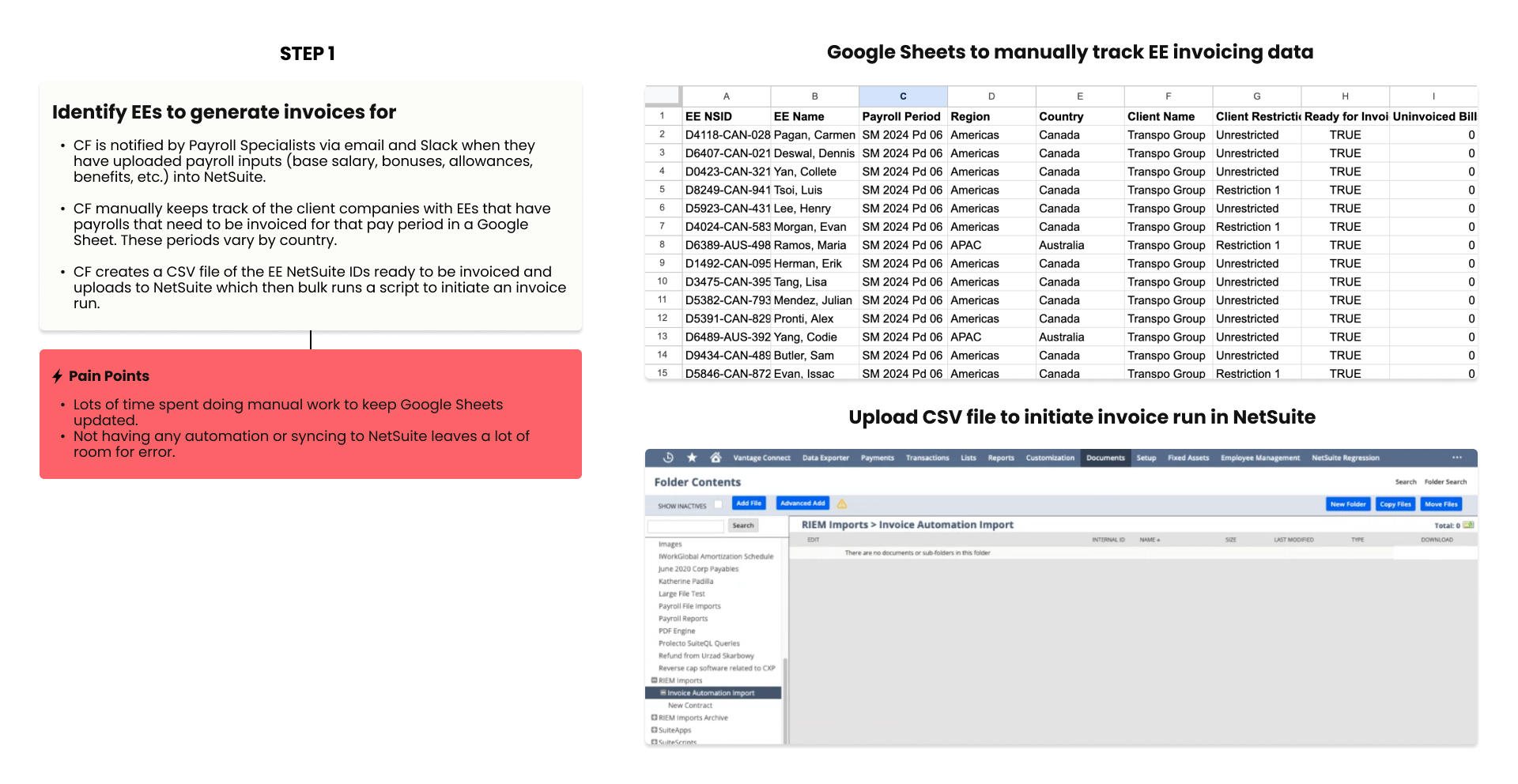
Users need a centralized place for invoice data that connects to NetSuite to initiate invoice runs and to simply the tracking and validation process.
Invoicing data is tracked in various Google Sheets putting more work onto CF team to have to manually update information.
Not having a centralized place for invoicing data where nothing is synced also increases potentials for error.
Difficult to see what needs to be validated by who and how.
Design Approach
Our main goal is to decrease the amount of manual intervention needed for invoice generation and approval via the newly built invoice service with updated backend code that increases efficiency and accuracy. This new service will need an experience designed for CF to initiate the creation of invoice runs and to view and approve runs created by the new invoice service.
Build flow of connecting the Global Workforce Platform to the new invoice service to initiate invoice generation in NetSuite
Automate tracking and increase scalability
Ability to view failed validations on invoice plans and reason for failure.
LO-FI DESIGNS
Lo-Fi Create Invoice Run Flow
Invoicing Dashboard
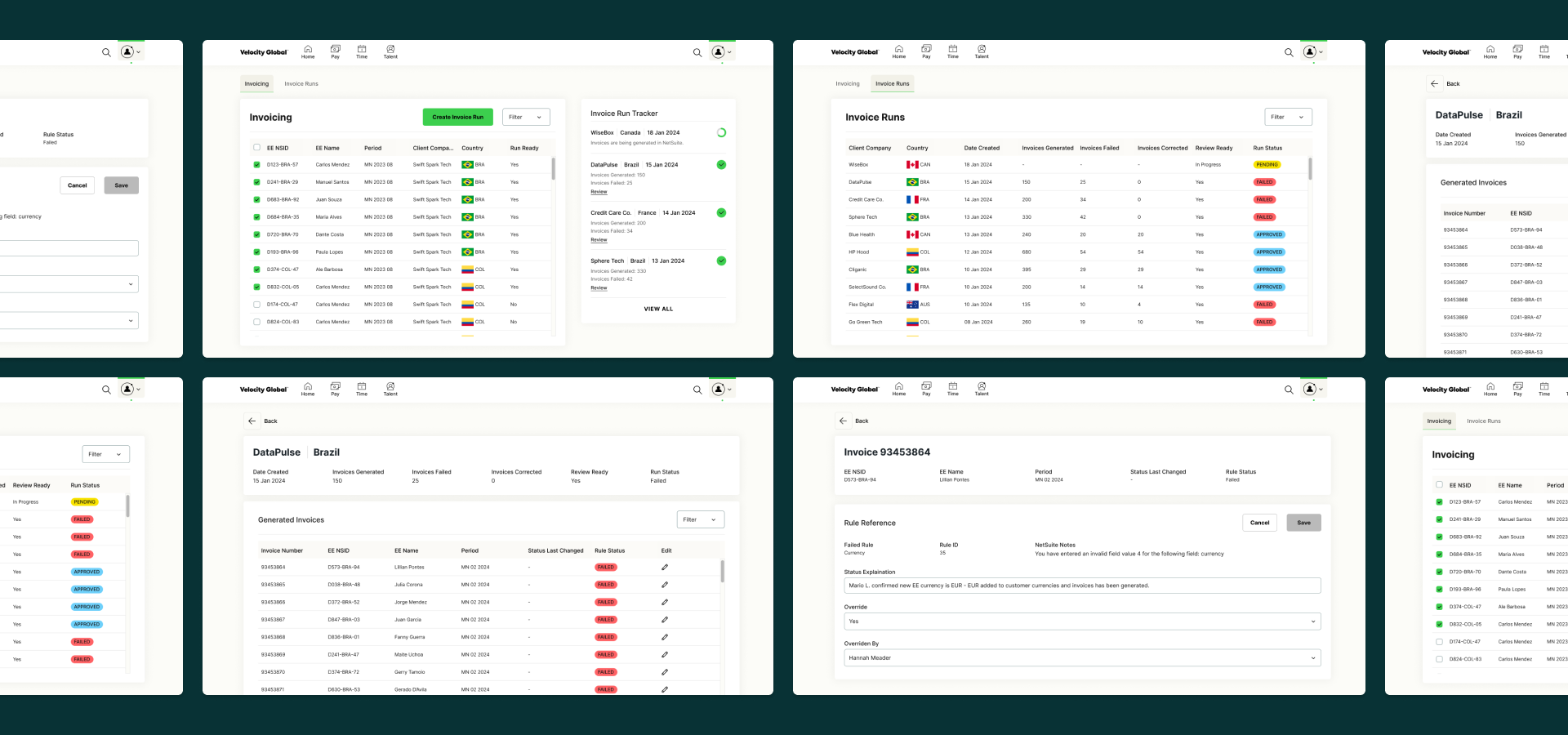
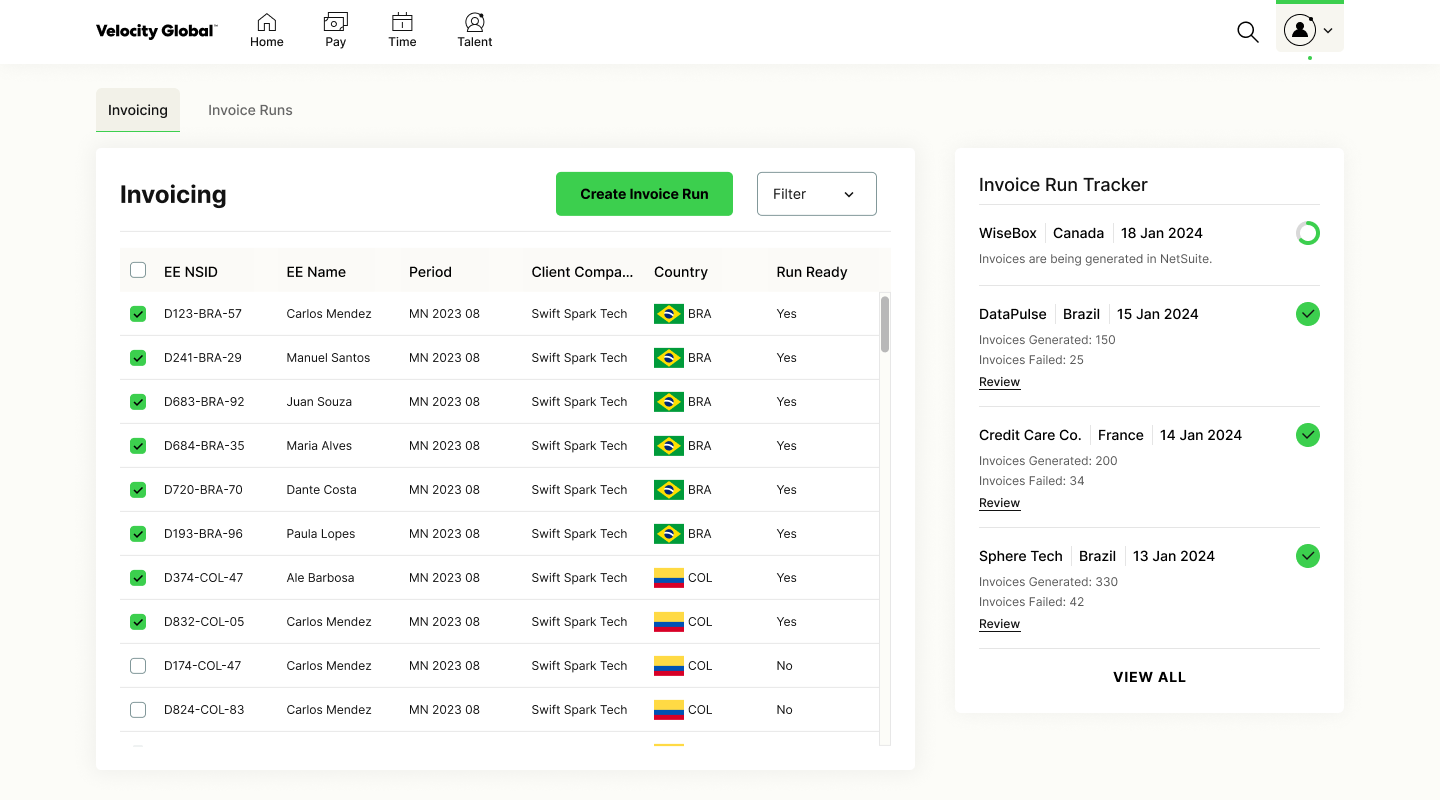
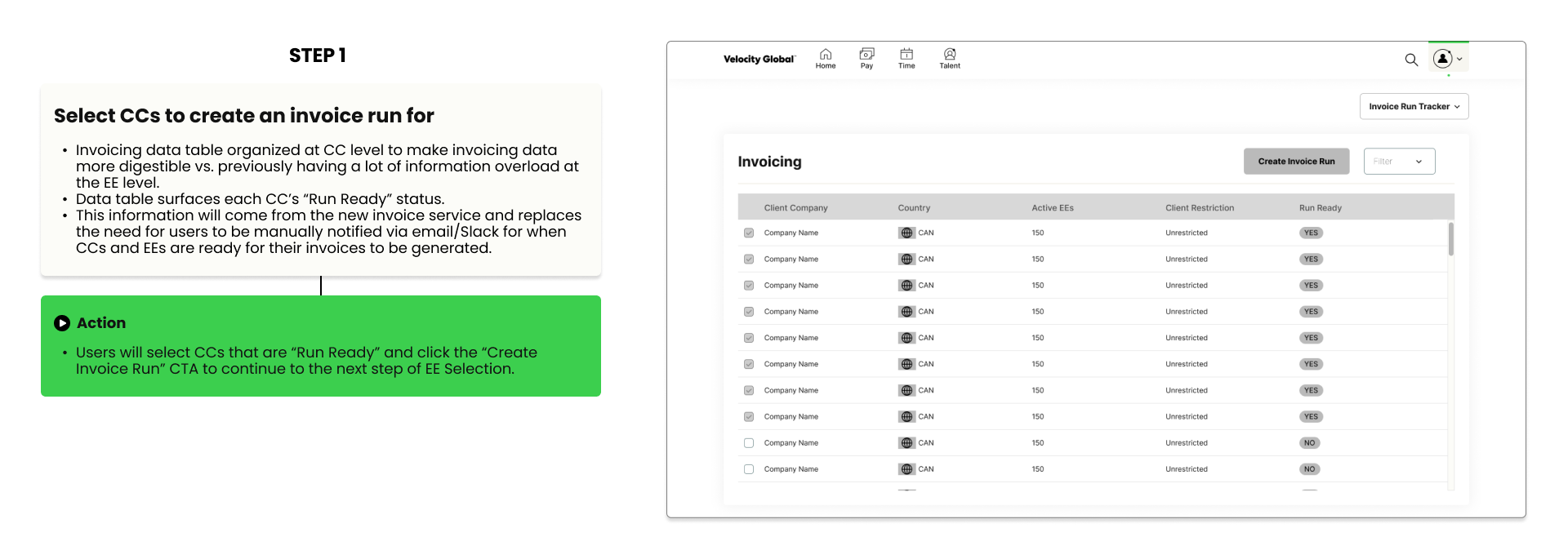
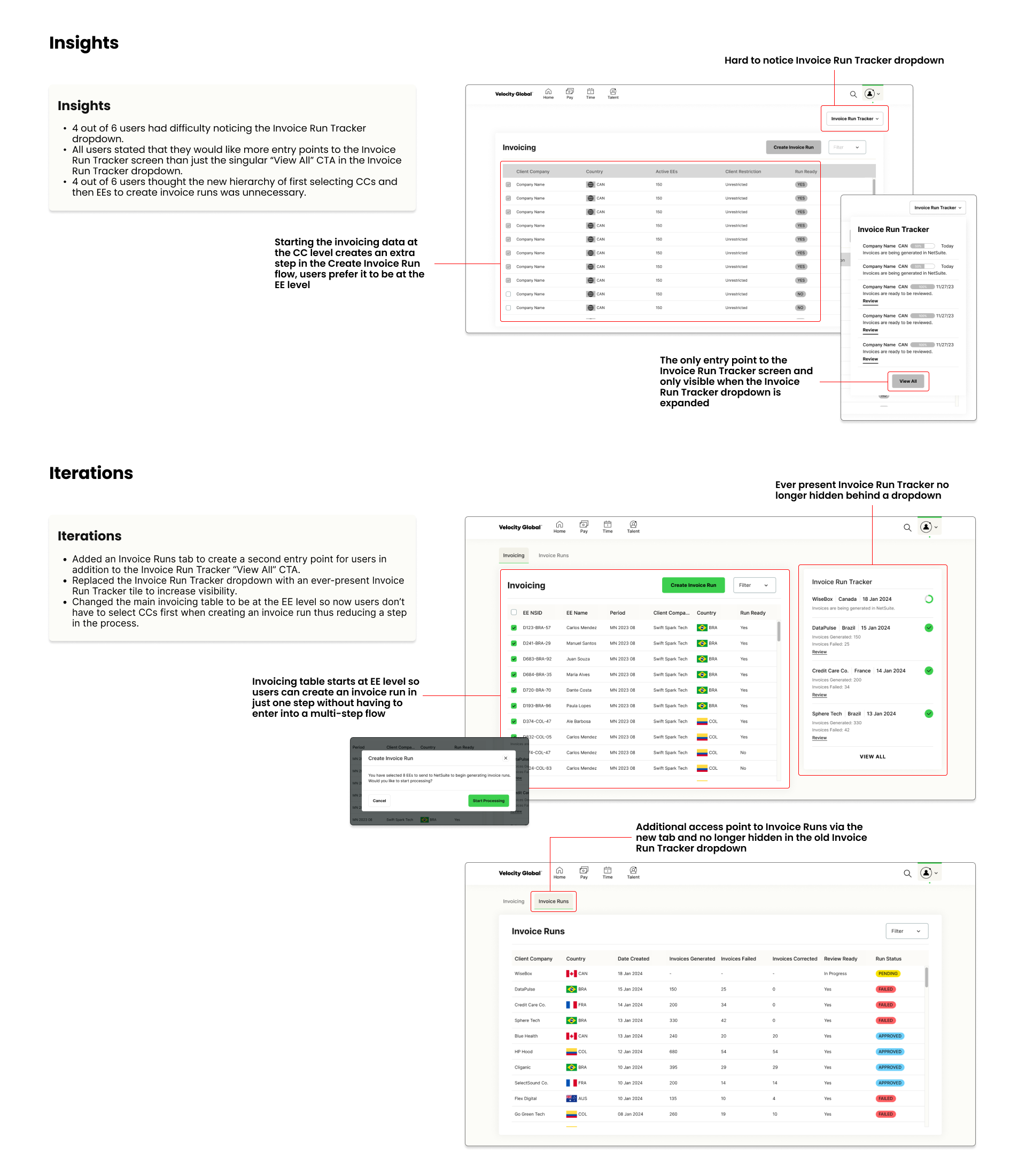
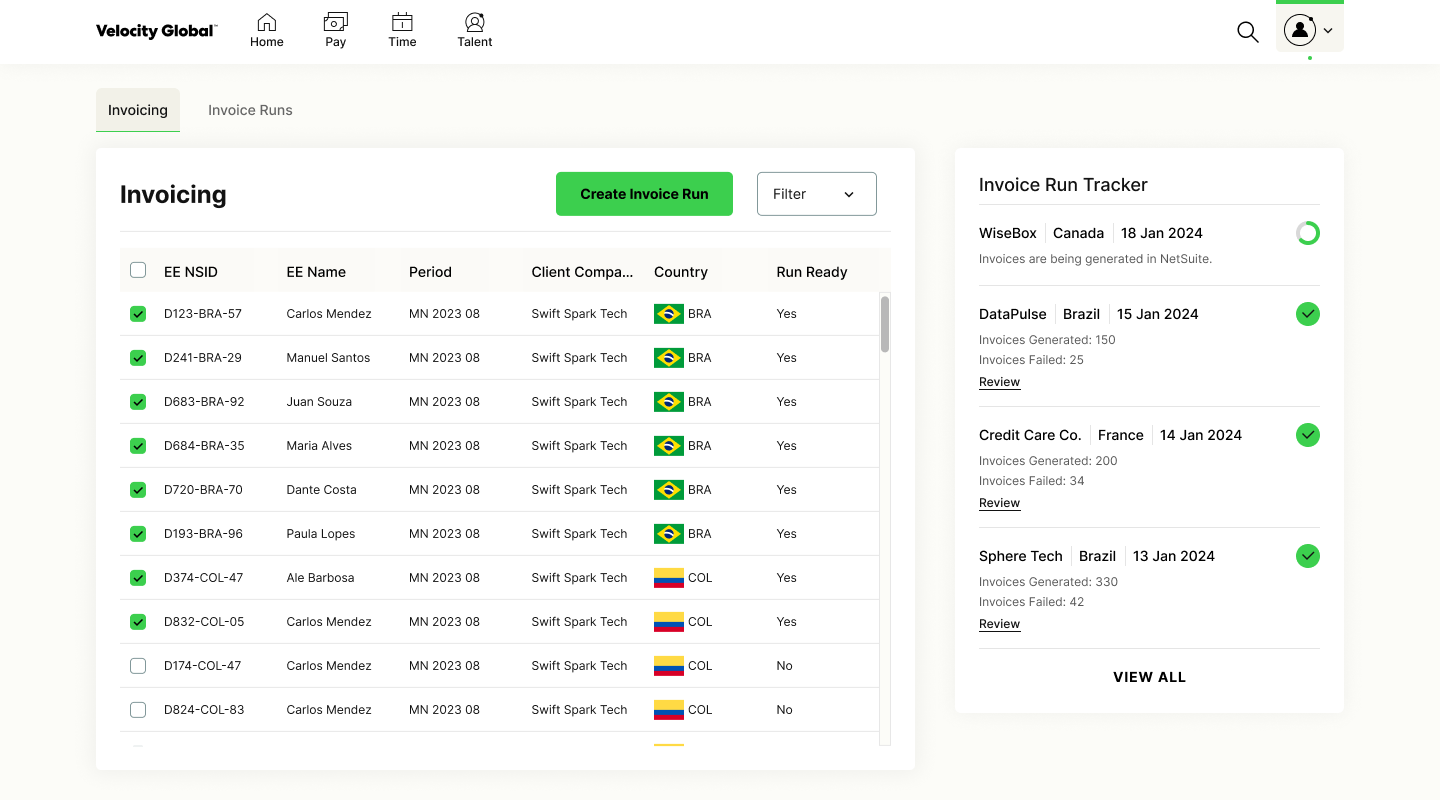
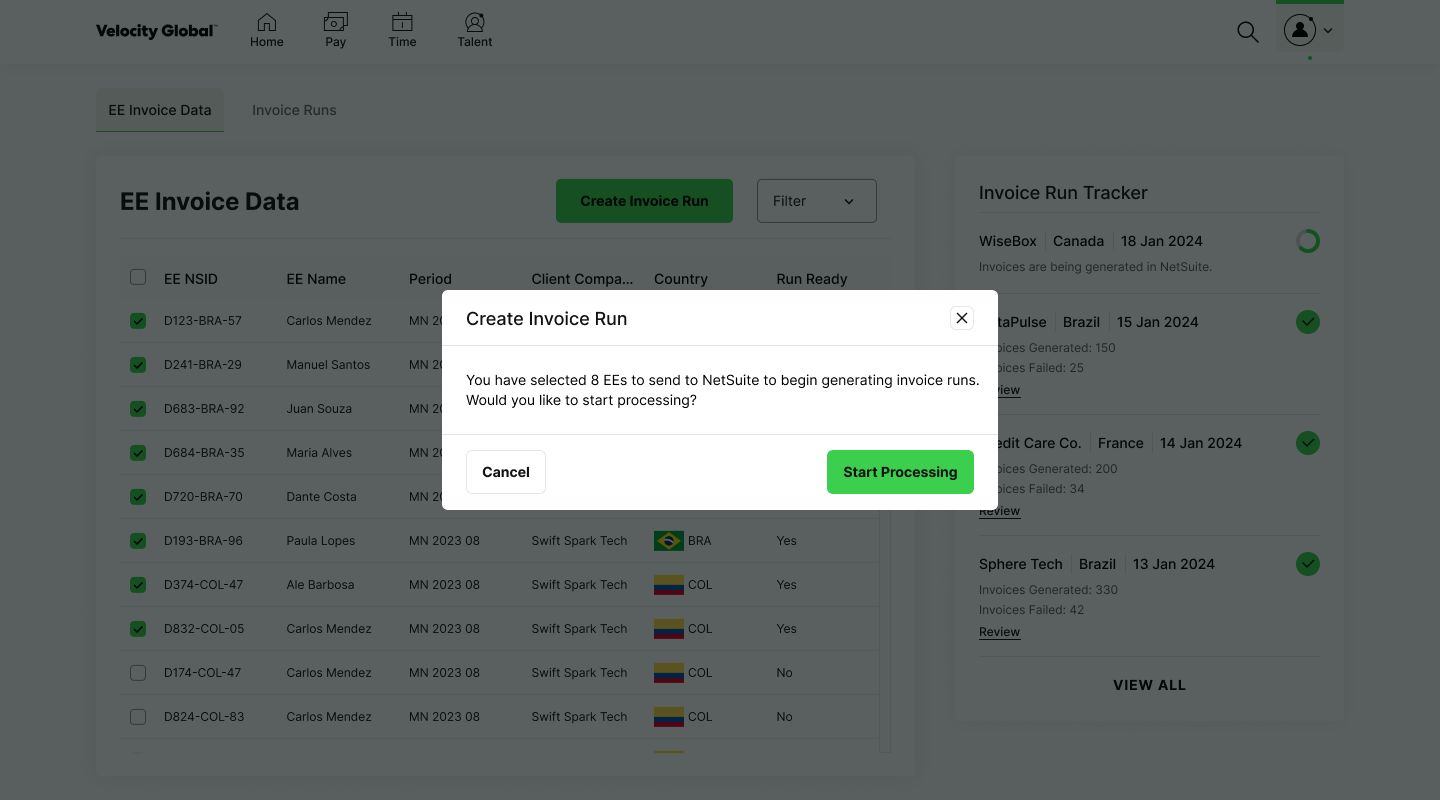
New Invoicing dashboard in the Global Workforce Platform to serve as the invoicing source of truth instead of data stored in various random Google Sheets. This table also surfaces when each CC is ready to have their invoices generated to increase clarity and reduce manual status updates.
EE Selection Data Table
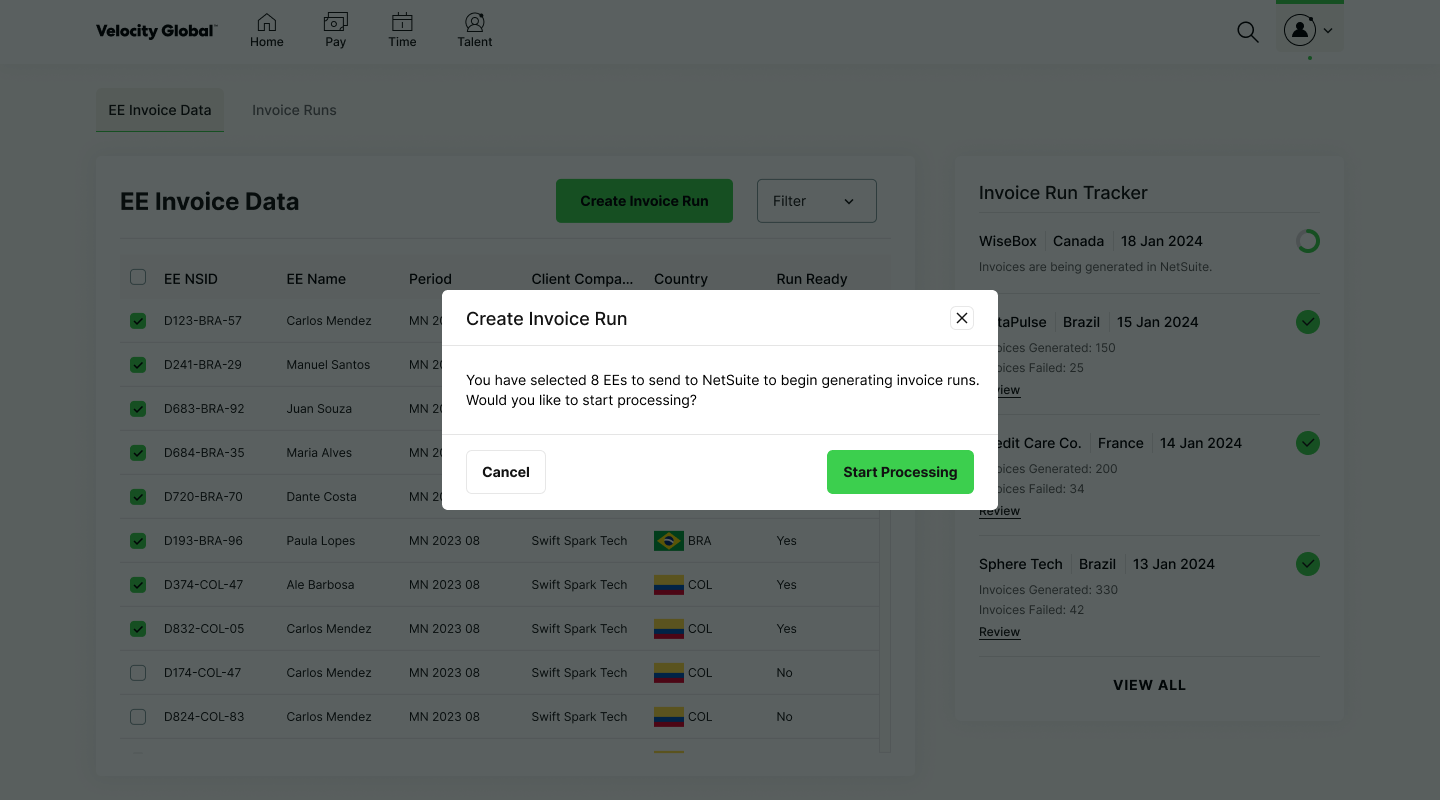
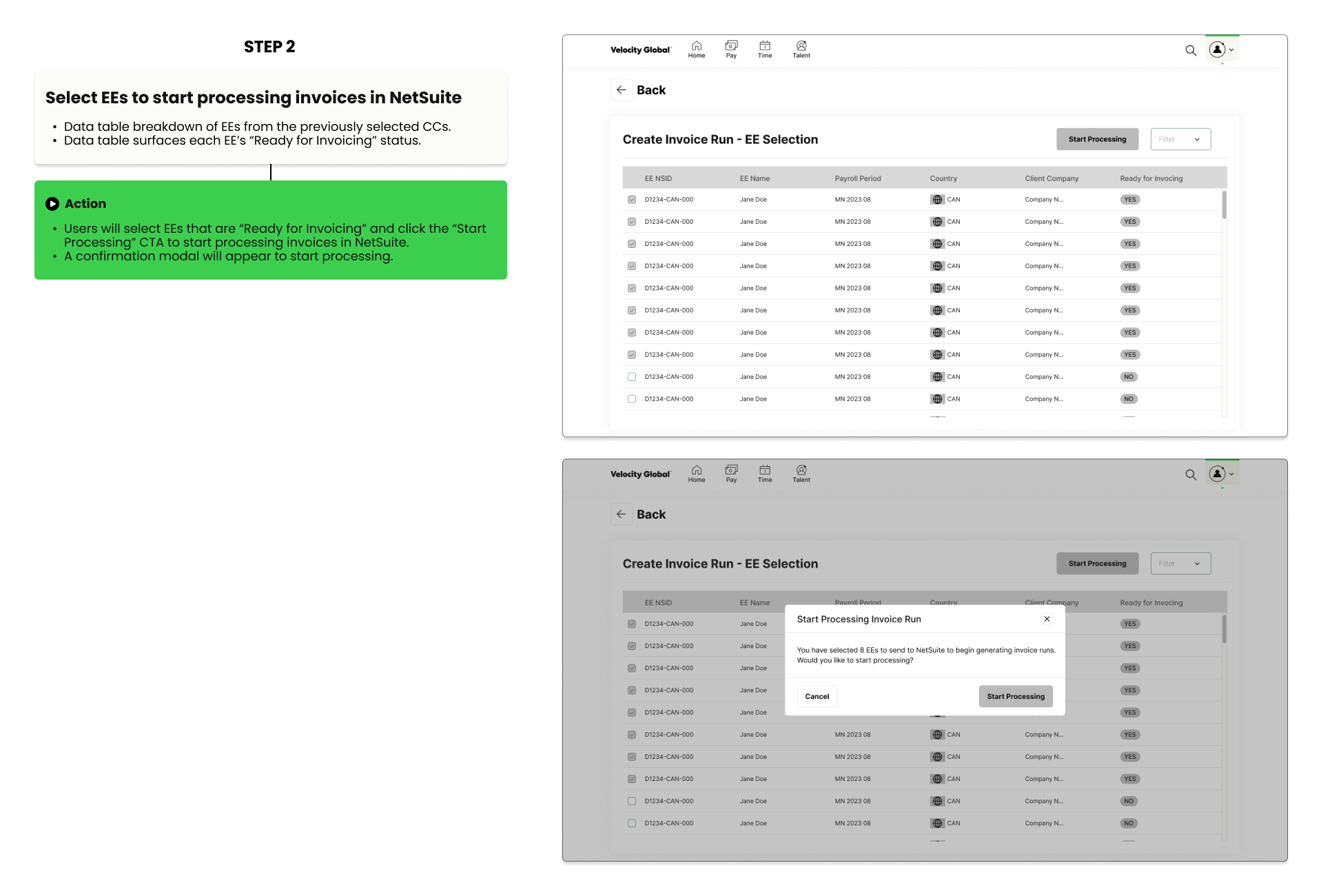
After clicking the “Create Invoice Run” CTA on the previous screen users are brought to the EE Selection data table to select EEs to start processing invoices in NetSuite.
Lo-Fi Track and Validate Invoice Runs Flow
Invoice Run Tracker Dropdown
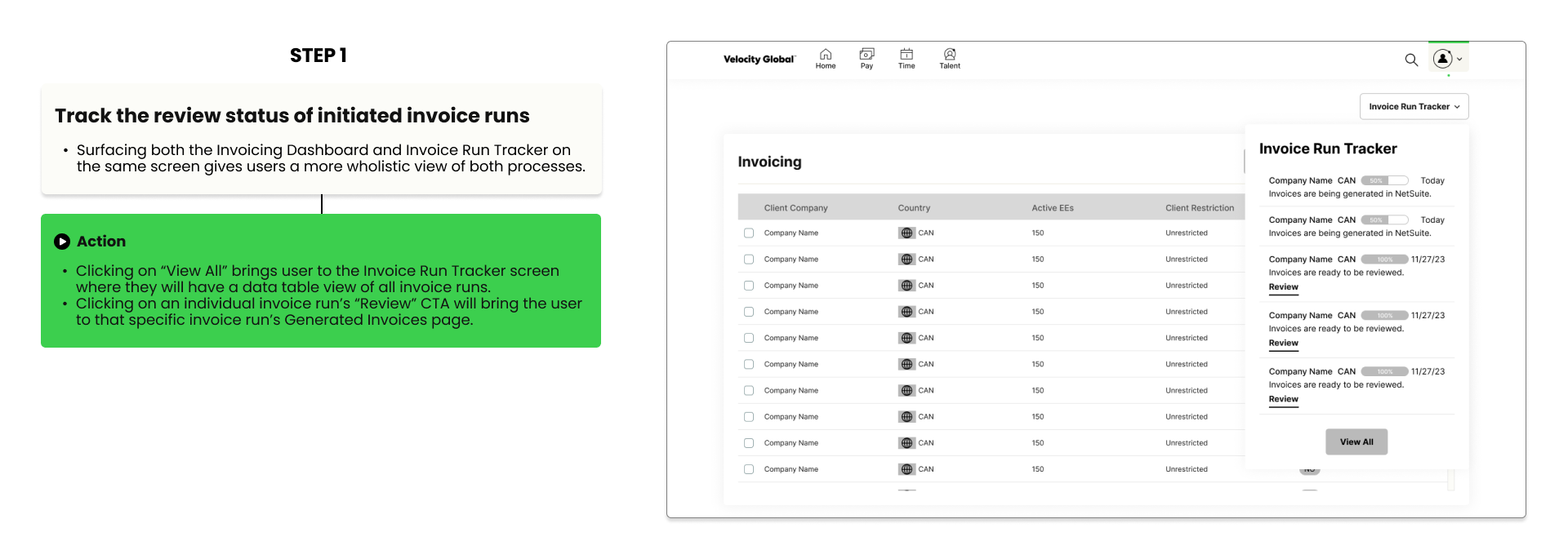
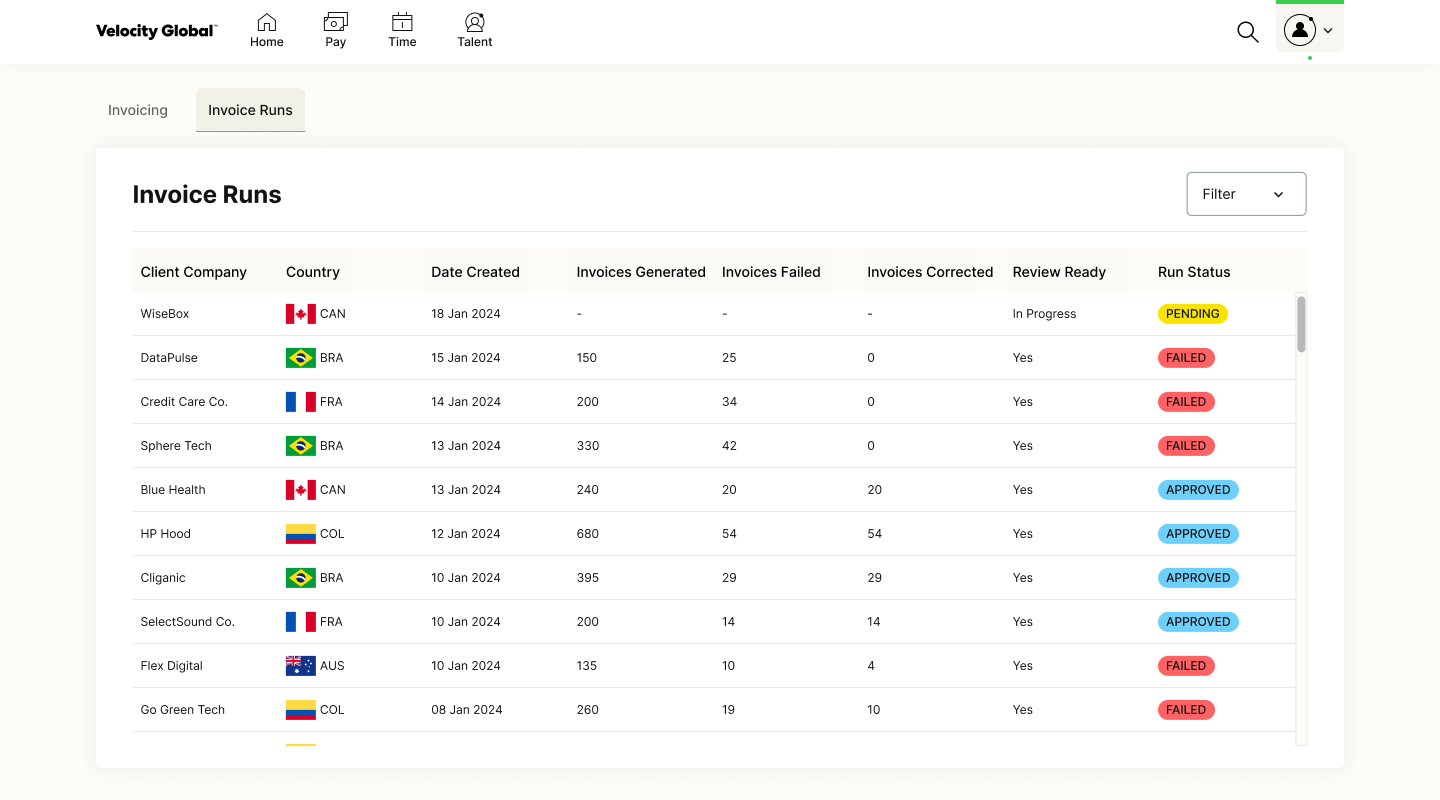
Going back to the main Invoicing Dashboard, users can click on the Invoice Run Tracker dropdown that lists invoice runs that have been initiated and when they are complete and ready to review. Users no longer have to leave the Global Workforce Platform to go to NetSuite to track run statuses because the information is now all in one singular place.
Invoice Run Tracker Screen
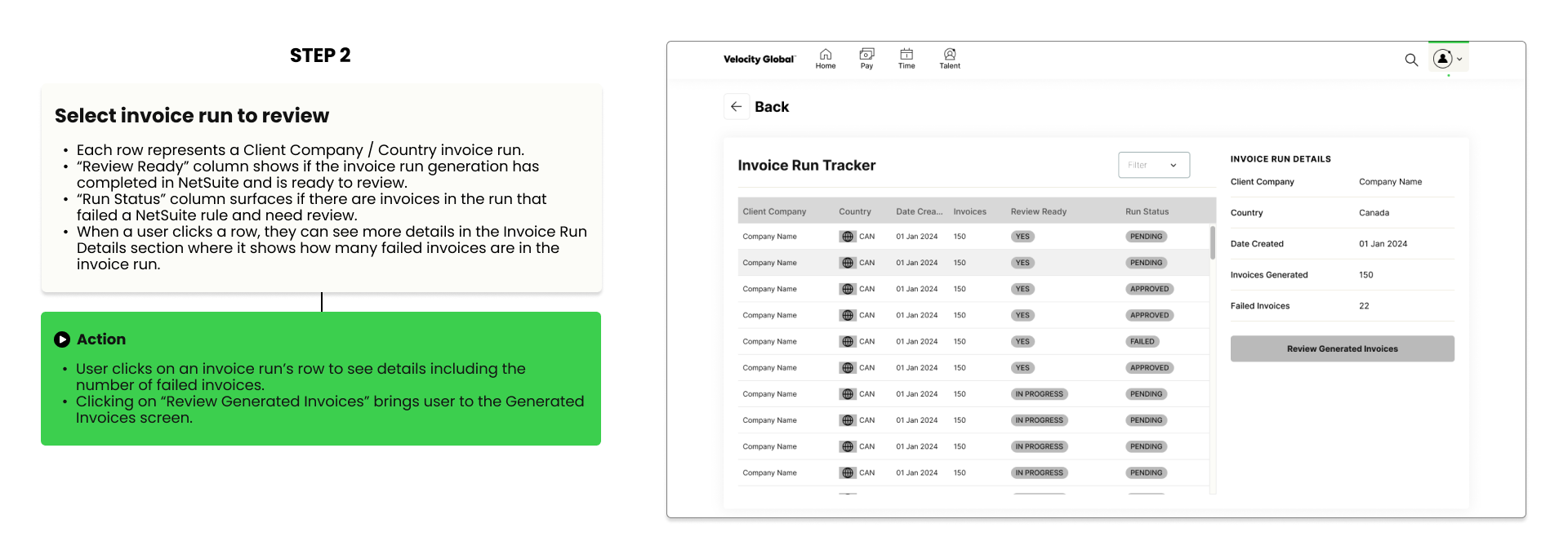
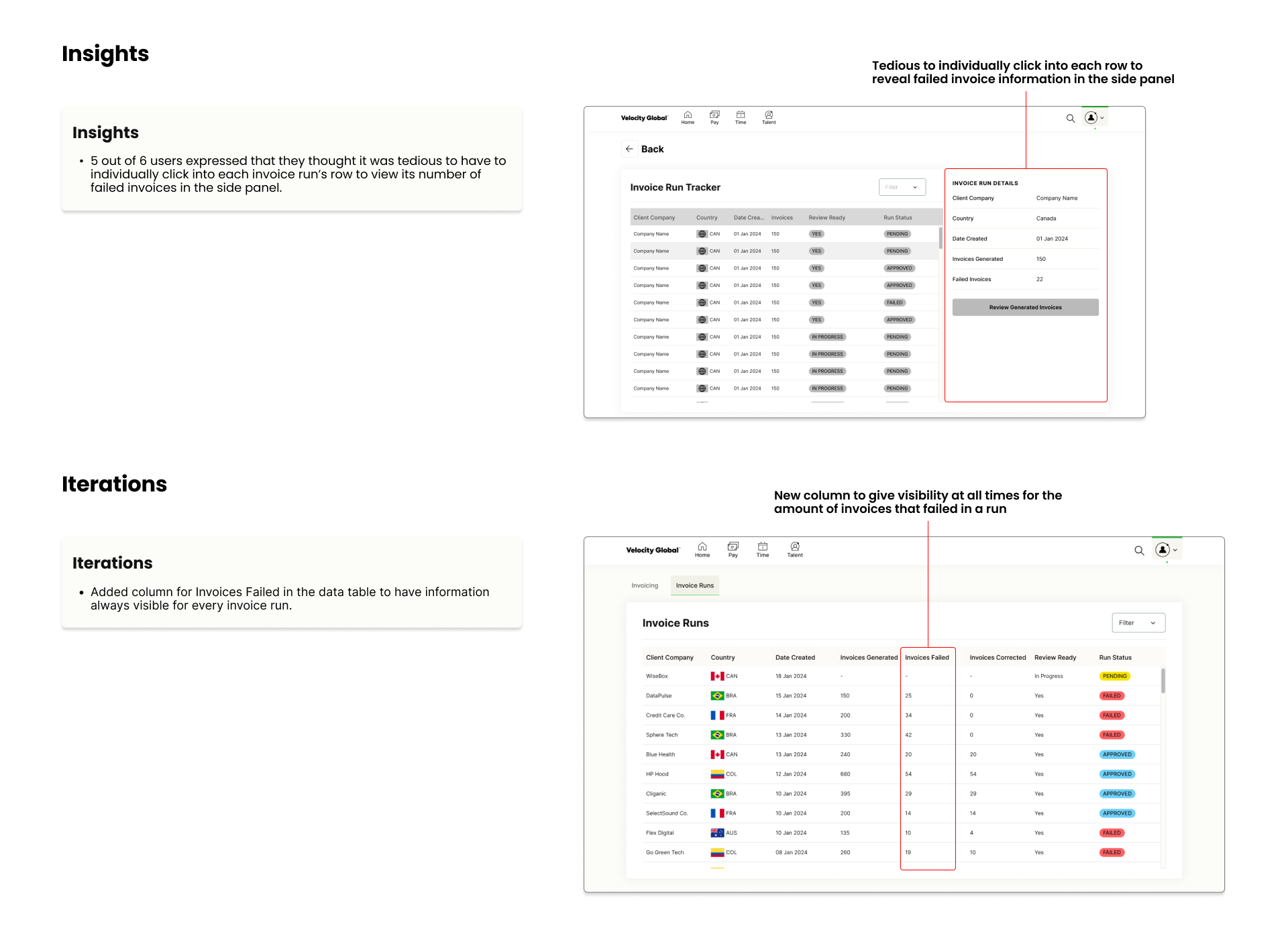
After clicking on “View All” in the Invoice Run Tracker dropdown, user navigates to the Invoice Run Tracker screen. This is a data table overview of all invoice runs giving visibility of different statuses all in one spot reducing clicks.
Generated Invoices Screen
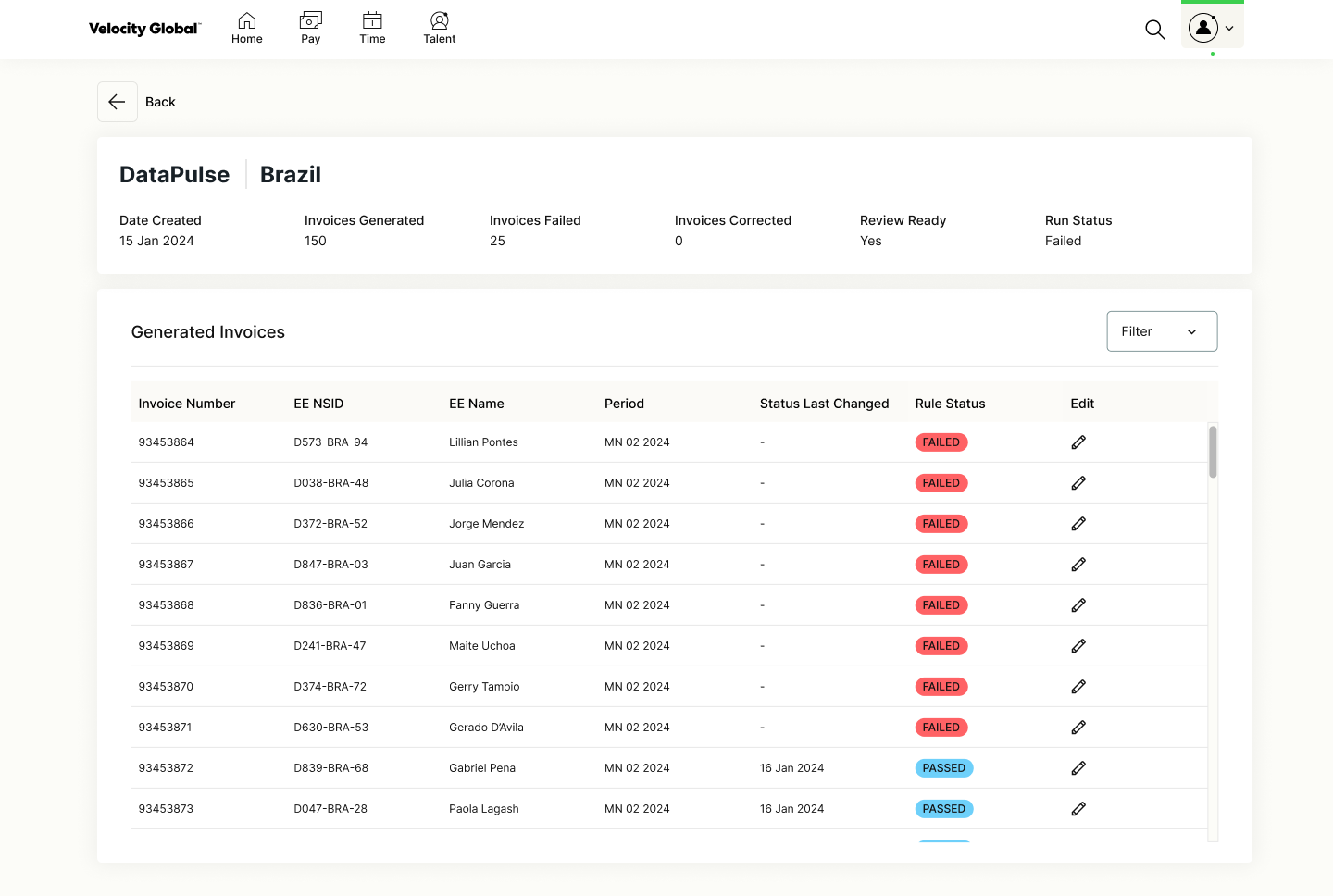
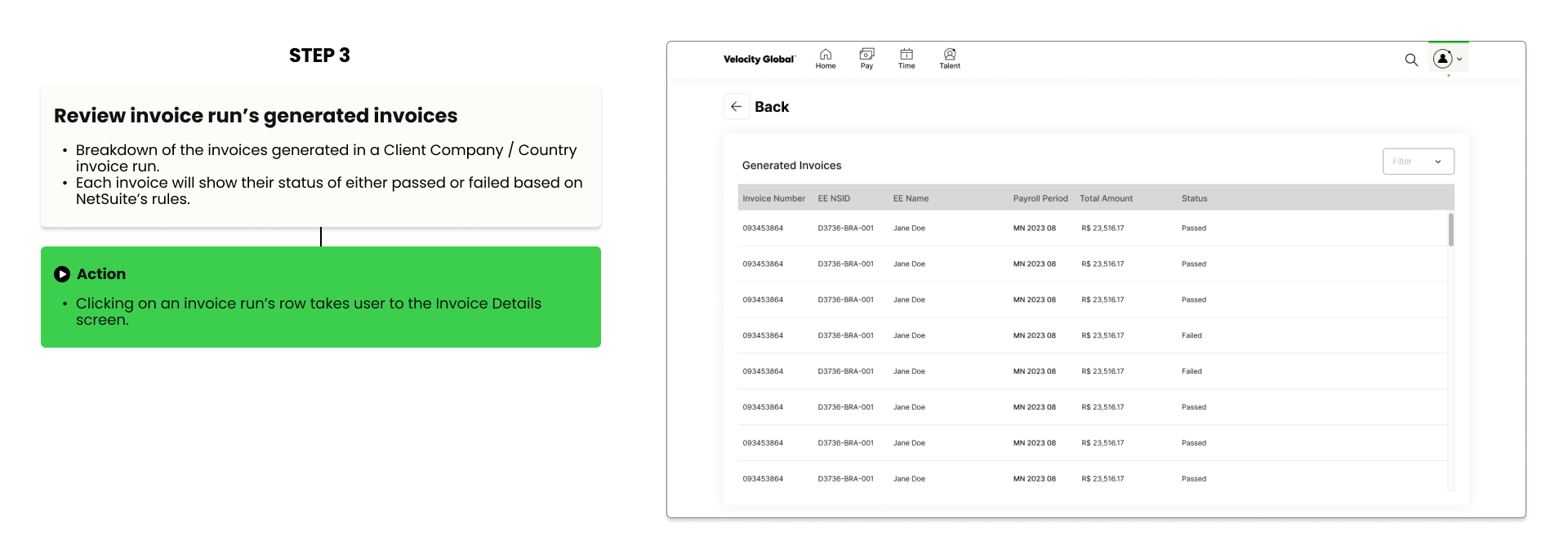
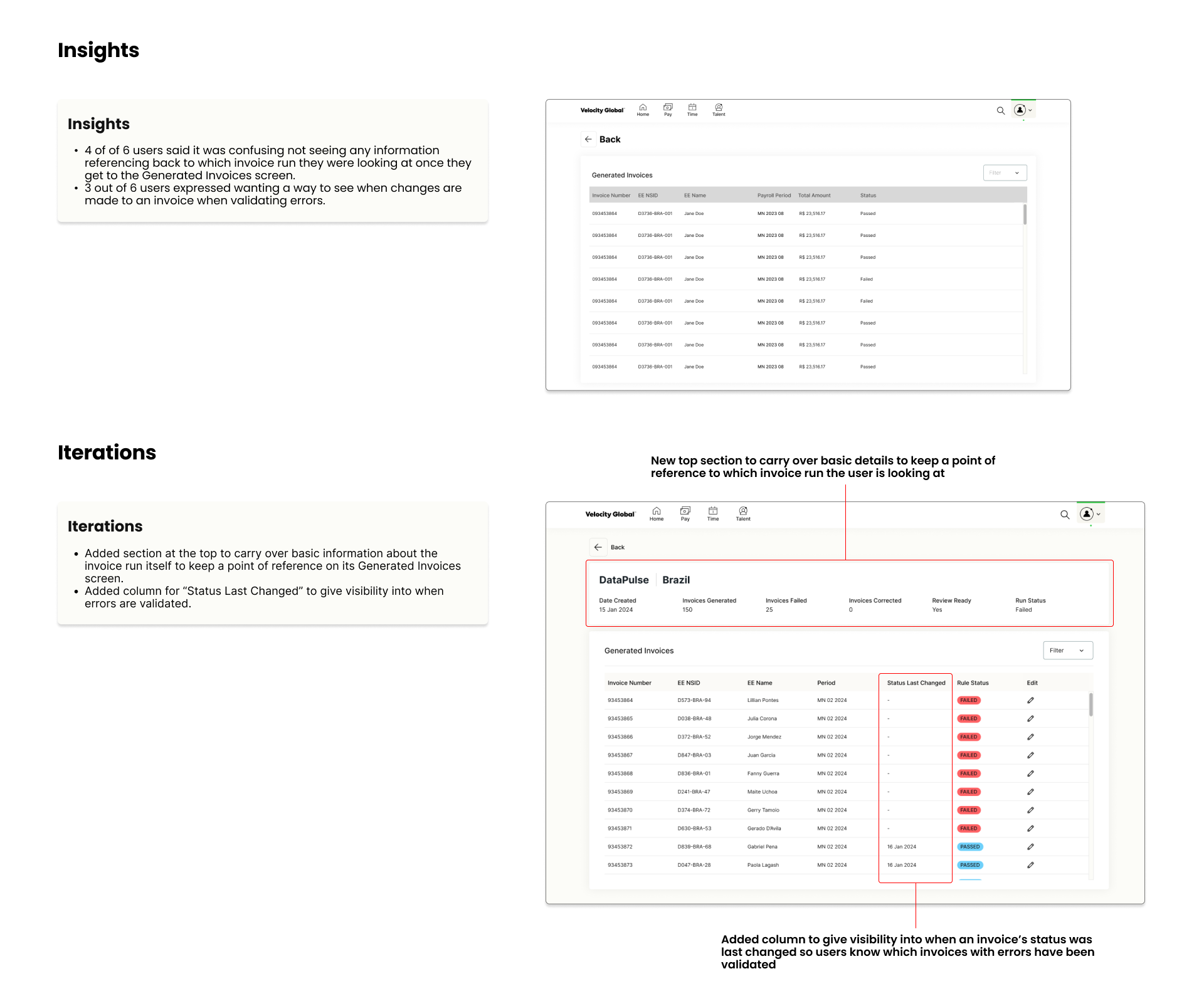
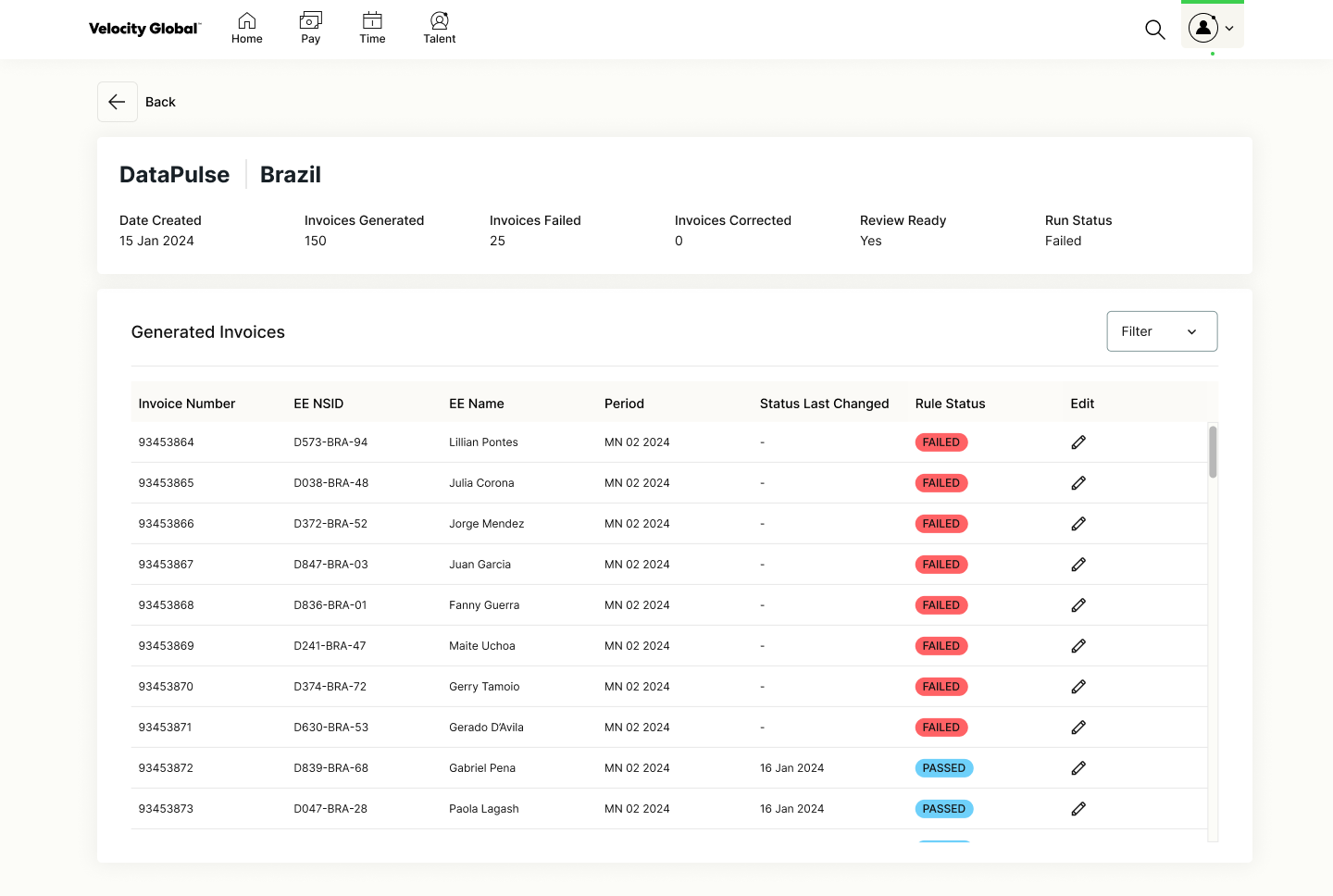
After clicking “Review Generated Invoices” CTA on the previous screen users are brought to the Generated Invoices screen.
Invoice Details Screen
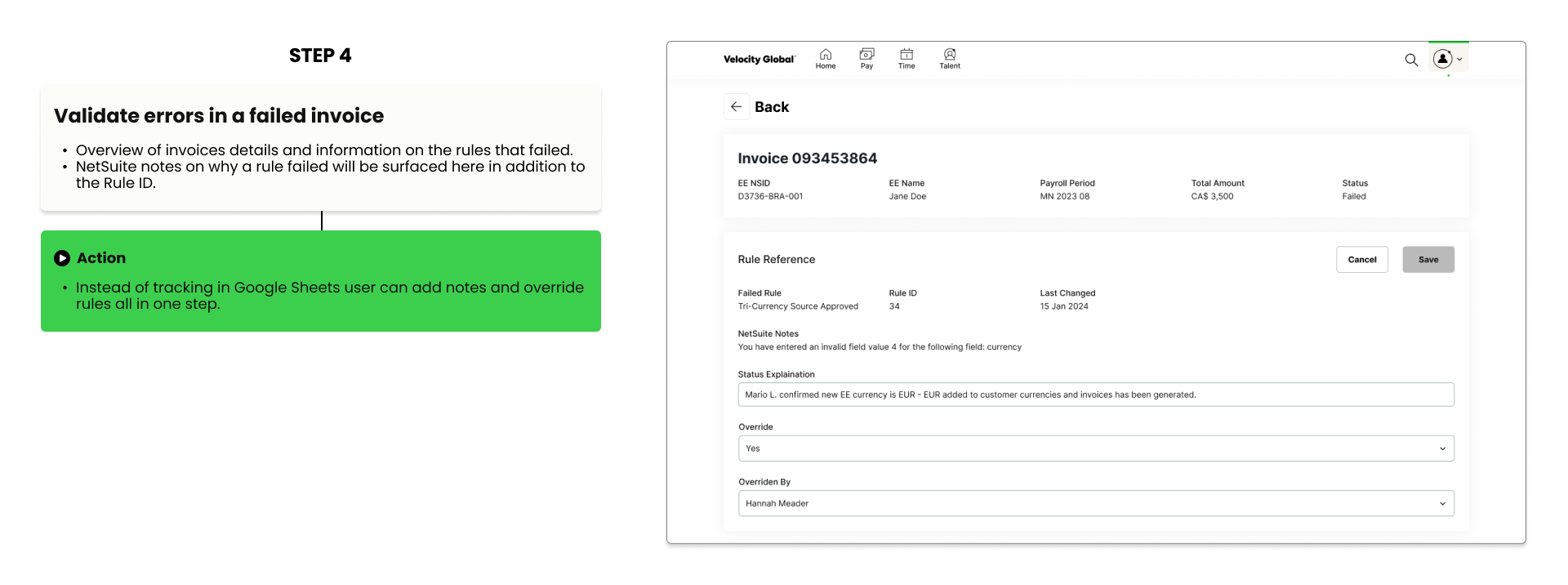
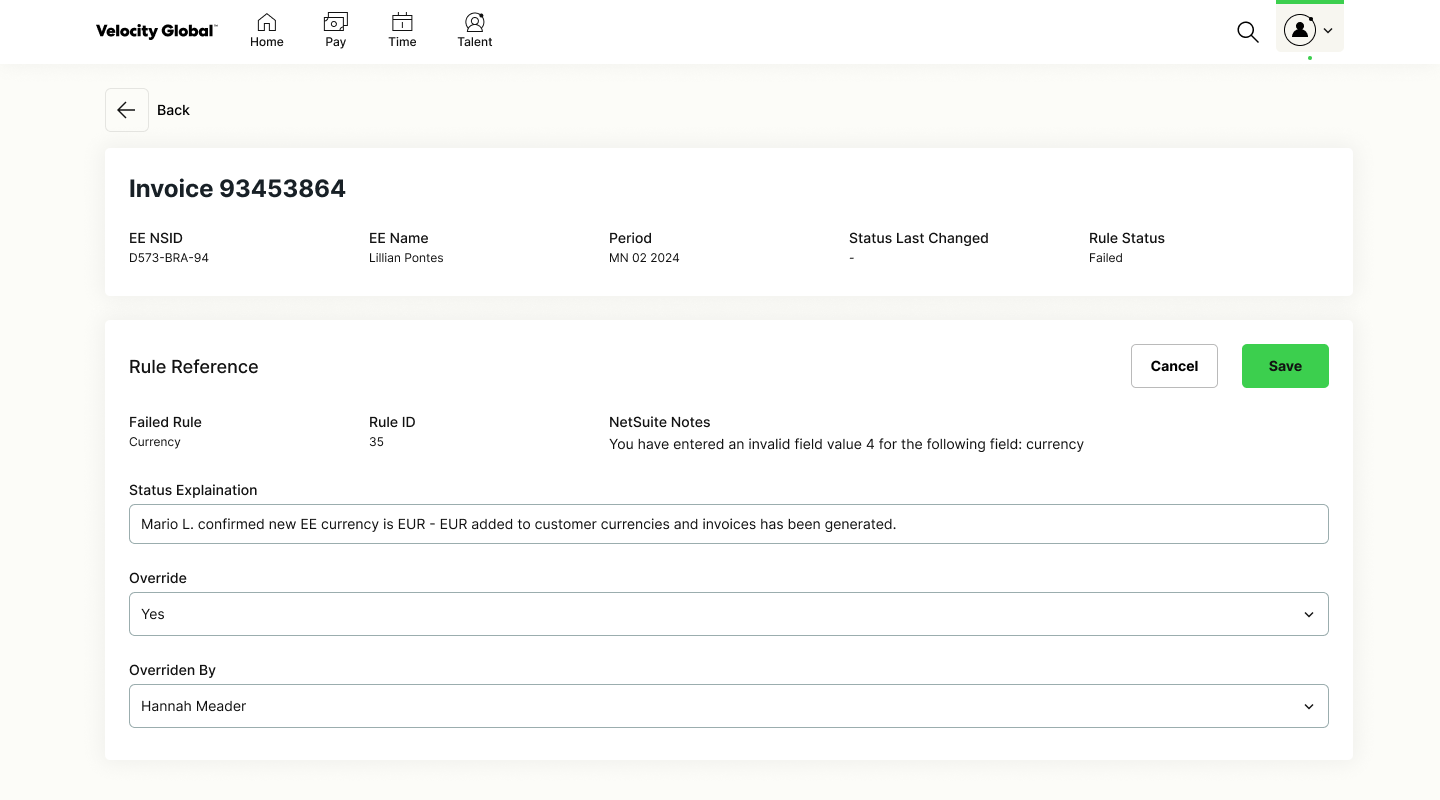
After clicking on an invoice run’s row, user navigates to its Invoice Details screen. Users no longer have to manually track failed invoice runs in a Google Sheets and surfacing more NetSuite rule information provides users with greater clarity to validate errors.
USER TESTING INSIGHTS & ITERATIONS
User Testing
Conducted prototype testing with 6 internal users on the Client Finance team.
Invoicing Dashboard Insights & Iterations
Invoice Runs Insights & Iterations
Generated Invoices Insights & Iterations
FINAL HI-FI DESIGN
Next Steps
This project was handed off to the engineer team and is currently in development. I now help with QA and assisting the engineers where needed. Moving forward additional design work for invoicing initiatives include designing for external client customers to provide more self-serve invoicing features and custom report creation.