Background:
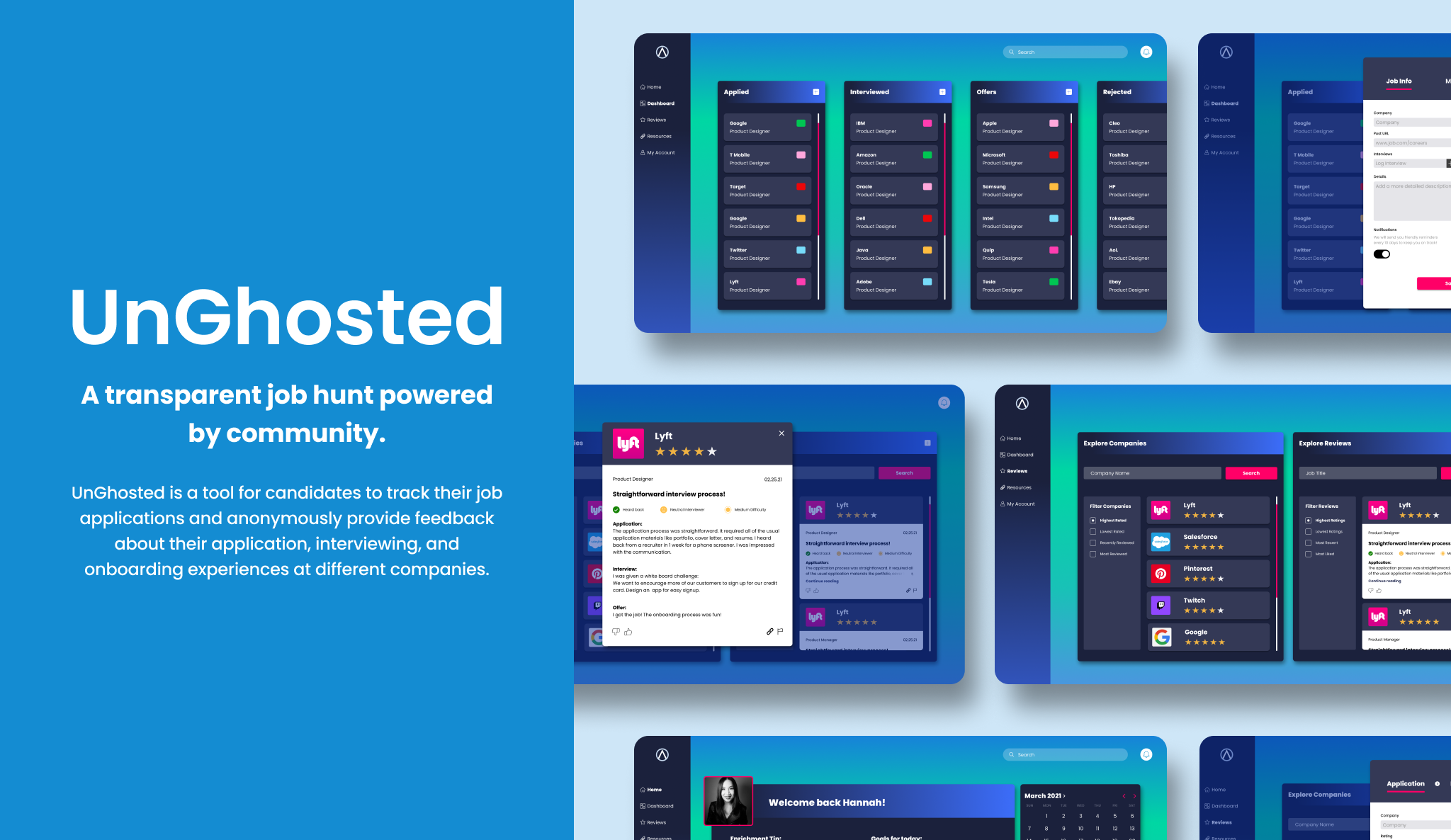
Job candidates feel stressed and discouraged when potential employers disappear without warning during their hiring and interview process. This dead silence known as “ghosting” is frustrating and leaves candidates feeling powerless.
My Role:
User Research, Prototyping , UI Design
Tools:
Figma
Timeline:
4 weeks
Challenge:
How might we design a solution that alleviates stress and helps job candidates feel empowered and supported during their job search process?
RESEARCH
“Ghosting and lack of feedback is my biggest struggle. I hated not hearing back after applying.”
USER INTERVIEWS
Understanding the job candidate’s dilemma
Our client came to us with initial research they had already conducted on the issue of employer ghosting. However, we wanted to validate the findings our client found and gain a better understanding of our users’ issues so we conducted interviews with 4 users.
INTERVIEW OBJECTIVES:
Discover pain points. Accurately define our users’ pain points and needs during their process of sending their initial application to the point of being ghosted.
Explore emotional journey. Dive deeper into the emotional side of the job candidate’s journey and fully understand the experience of being ghosted.
Define competitors. Find out which applications and tools job candidates currently use and what keeps them going back to these platforms.
Validate client research. Make sure that we were going to create a design solution for the correct problem.
USER INTERVIEW KEY INSIGHTS:
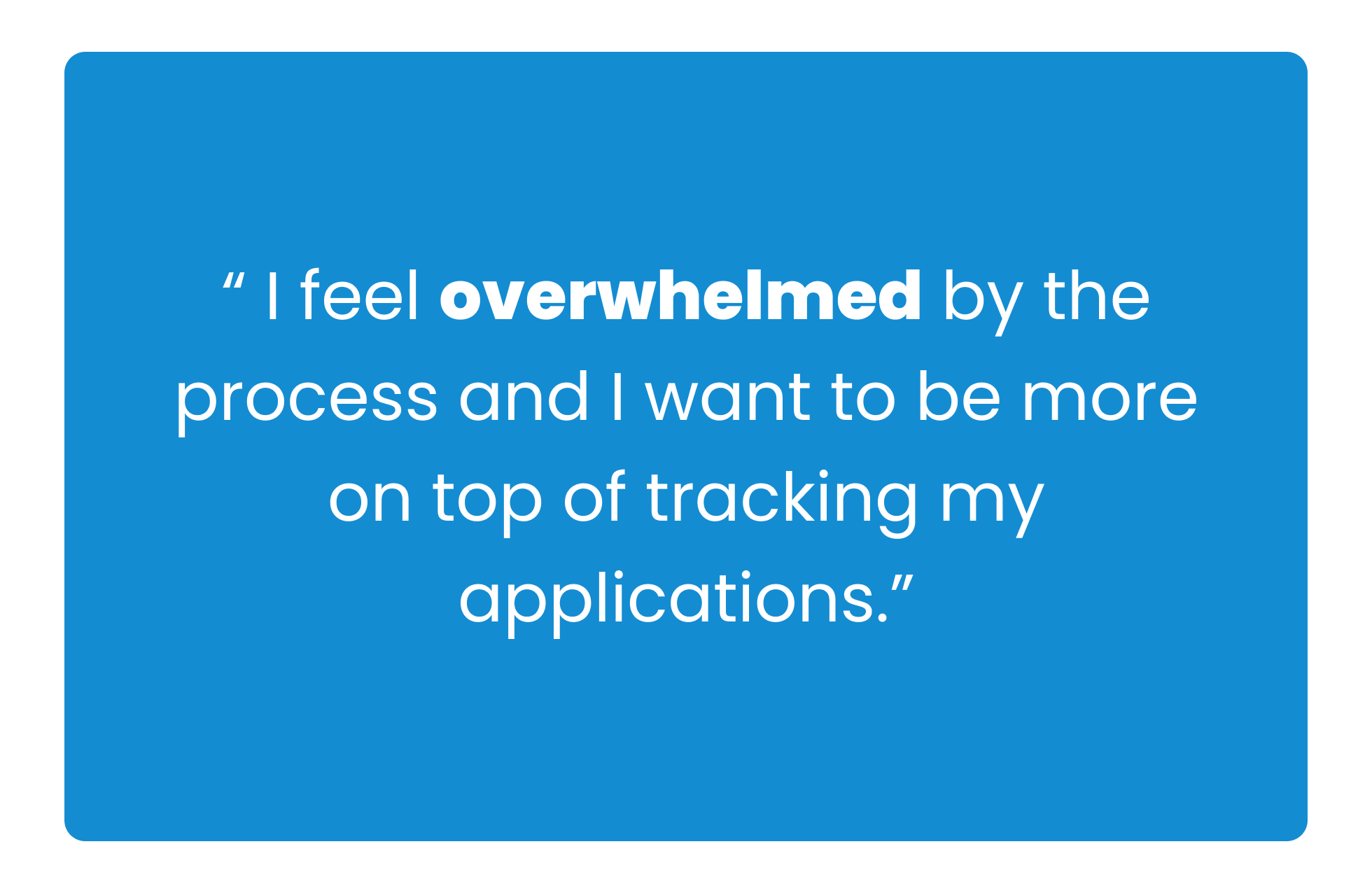
Insight #1:
Users find tracking their job applications overwhelming and stressful.
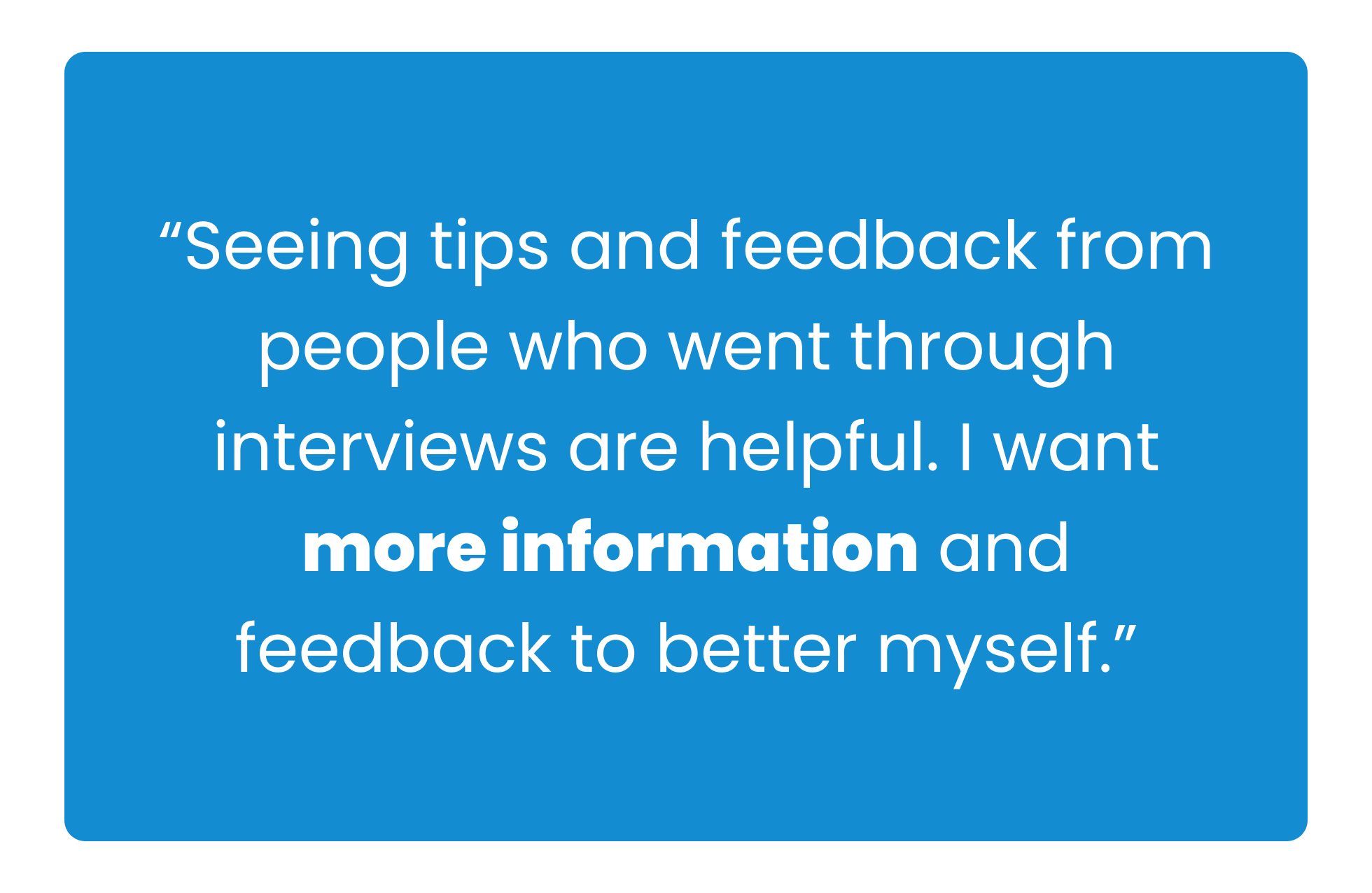
Insight #2:
Users want access to transparent information about a company’s hiring process.
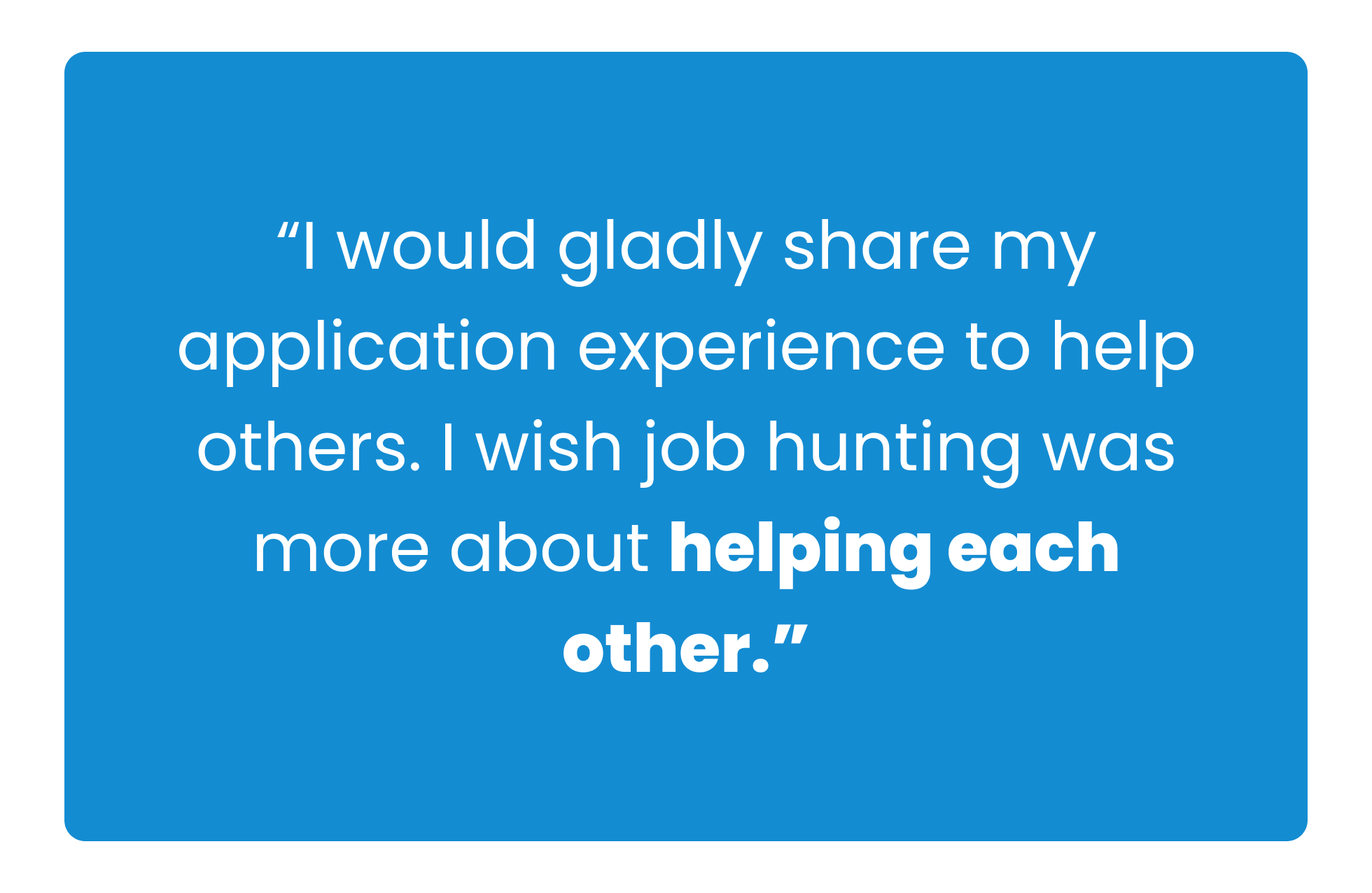
Insight #3:
Users want more support from others during their job search.
DEFINING OUR USER
Who are we designing for?
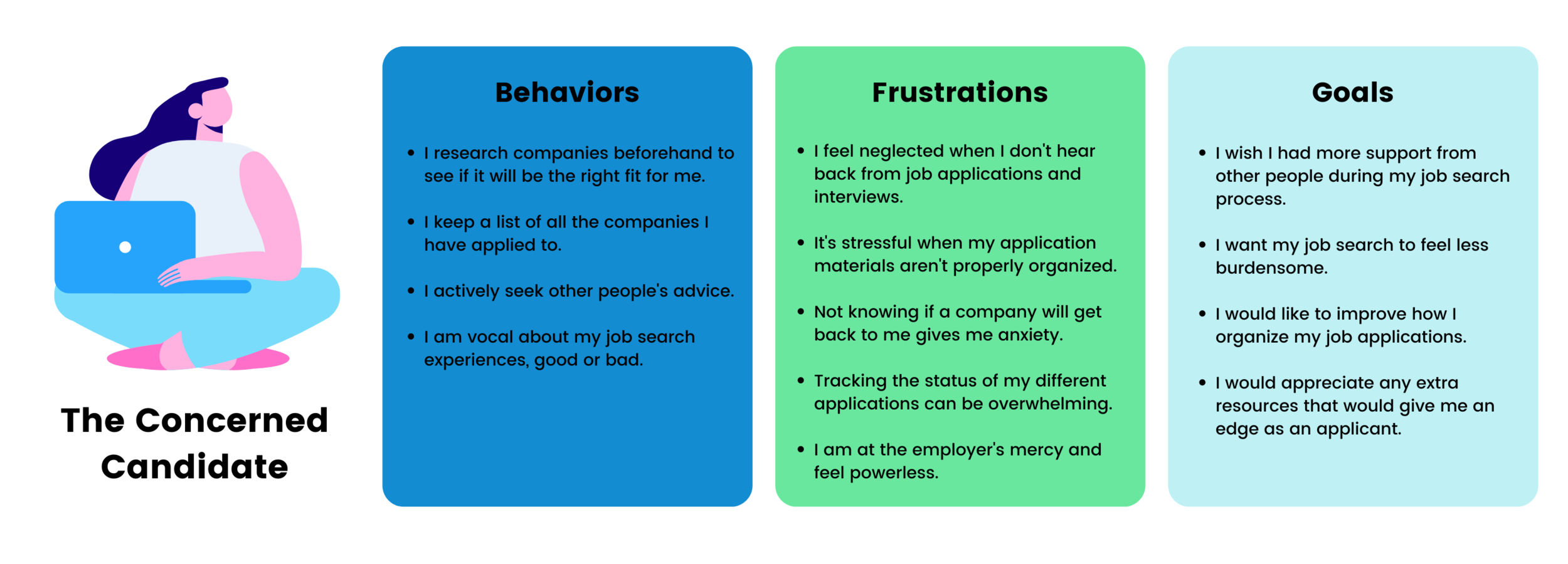
Next, we wanted to define our target audience to help us make informed design solutions that serve real users so we created a persona based on our user interview research.
DATA THAT SHAPED OUR PERSONA:
3 out of 4 users track the applications that they’ve sent out, but often find it stressful.
3 out of 4 users like conduct company culture research.
4 out of 4 users disliked not receiving any sort of feedback from companies.
4 out of 4 users expressed that they wished there was more empathy for people going through the job hunt process.
USER PERSONA
COMPETITIVE ANALYSIS
Strategizing for a superior product
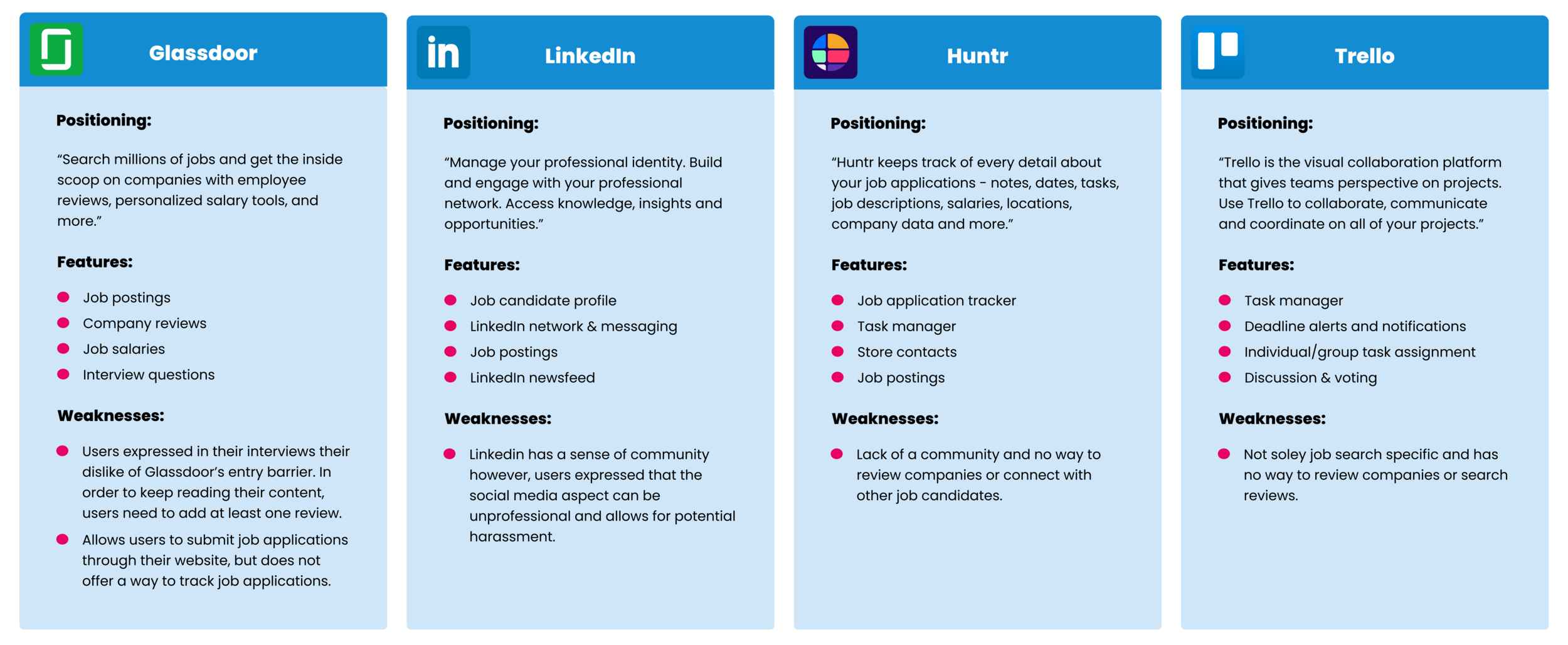
After user interviews, we moved on to conducting a competitive and comparative analysis to understand our competitors’ features, functions, and flows to design a superior experience for job candidates.
COMPETITIVE ANALYSIS RESEARCH
COMPETITIVE ANALYSIS INSIGHTS
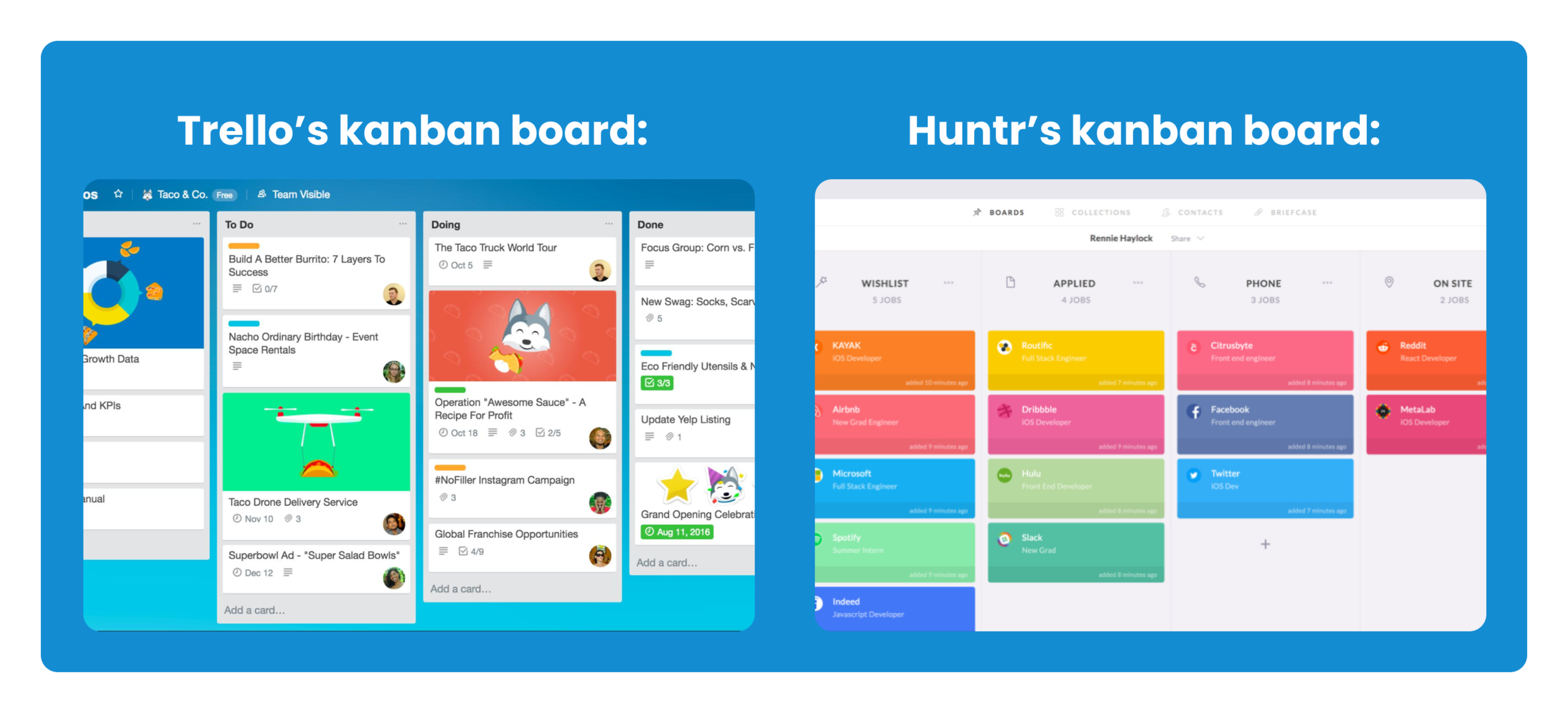
Insight #1: Kanban Boards organization
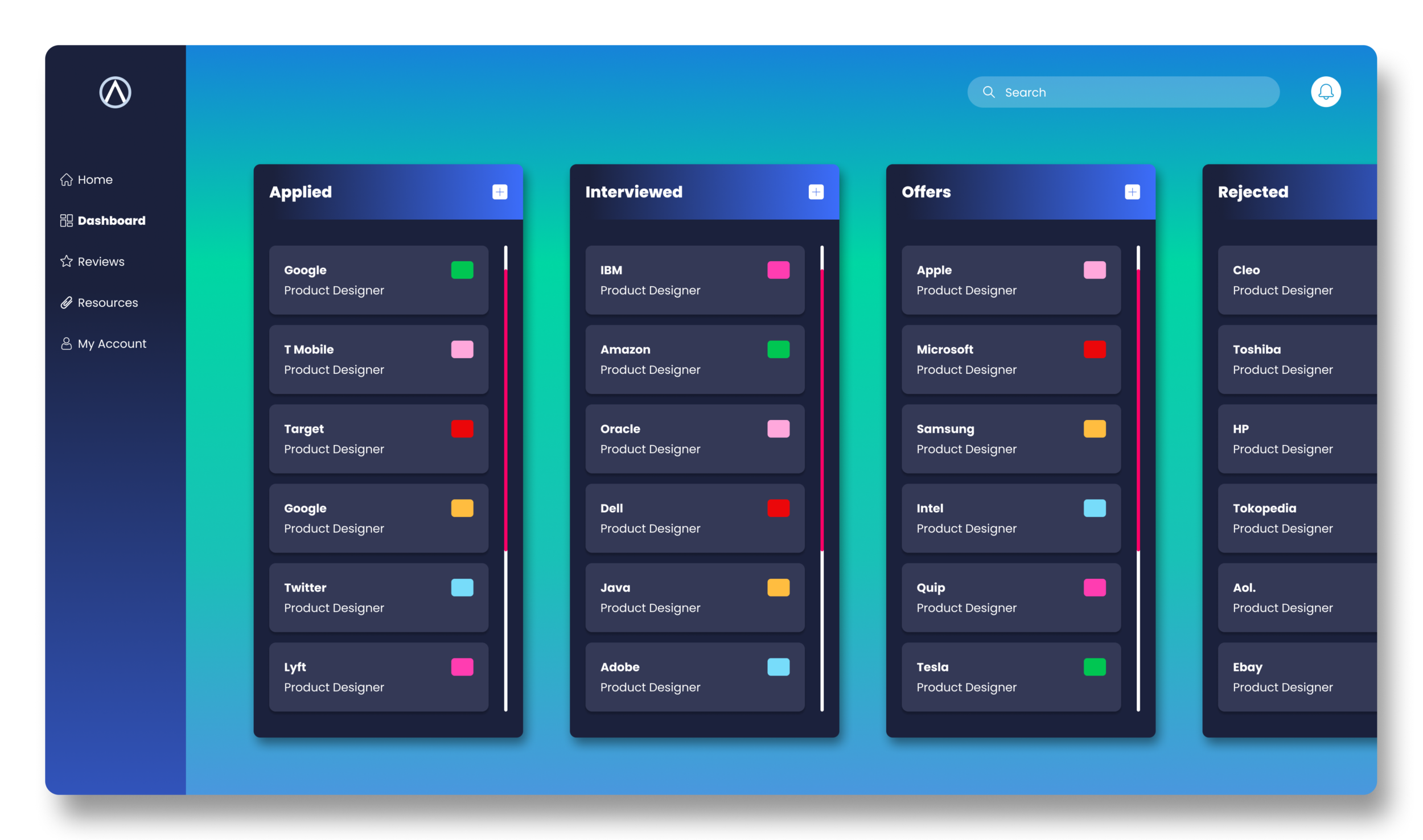
Kanban boards visualize information in cards and columns. How could we integrate this feature to create a fast and simple way to track applications to address our user’s stress?
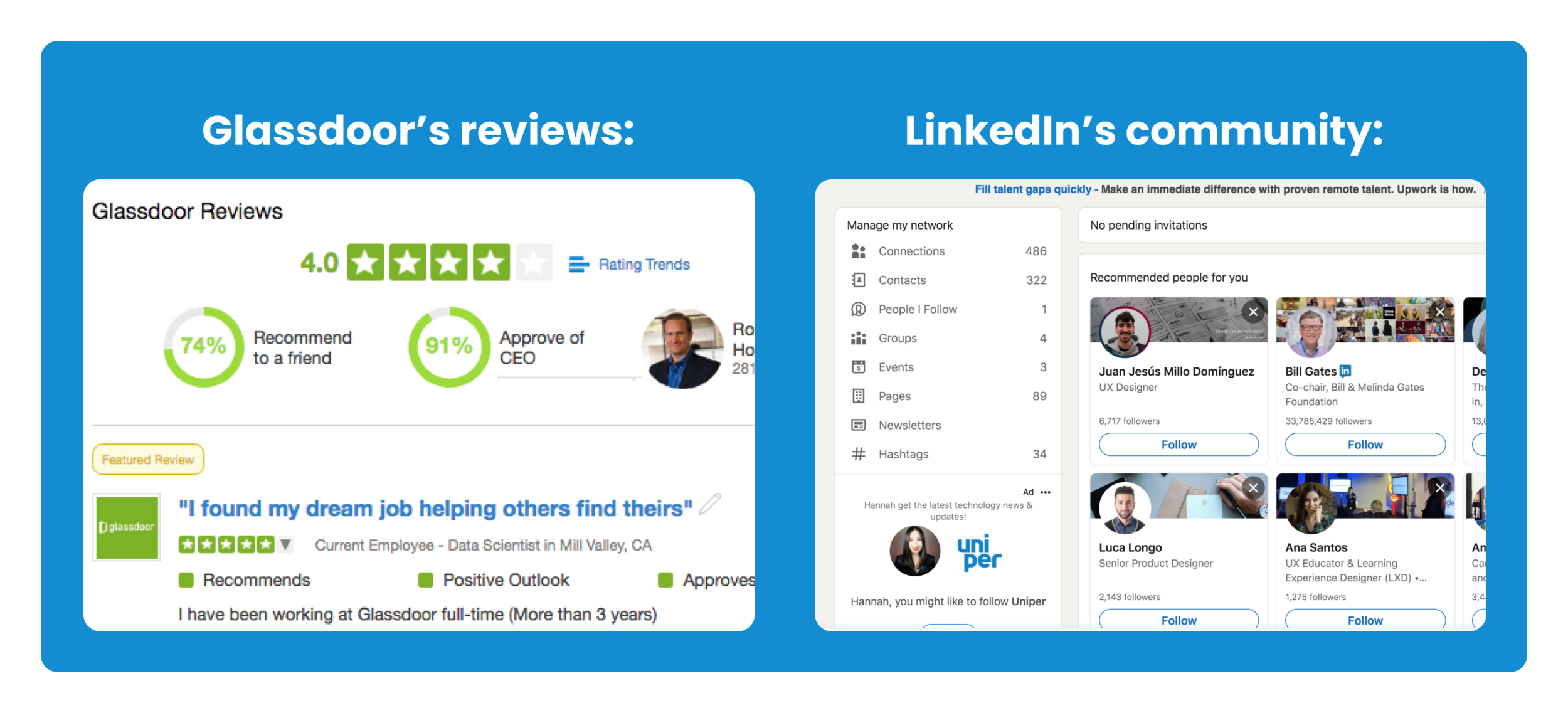
Insight #2: Reviewing system that builds community
Reviewing systems create a space to provide feedback and build community. How could we integrate this feature to empower users to raise their voices and create a sense of belonging to address our user’s desire to have more support?
PROBLEM STATEMENT
Identifying our challenge
After user interviews, creating a persona, and conducting a competitive analysis, we were finally able to identify the problem at hand we needed to solve going forward into the design stage.
PROBLEM STATEMENT
How might we design a solution that alleviates stress and helps job candidates feel empowered and supported during their job search process?
PROTOTYPING & TESTING
DESIGN HYPOTHESIS
Design Solution Proposal
After gathering all of our research we were ready to move on to ideating design solutions based on our research findings.
DESIGN HYPOTHESIS
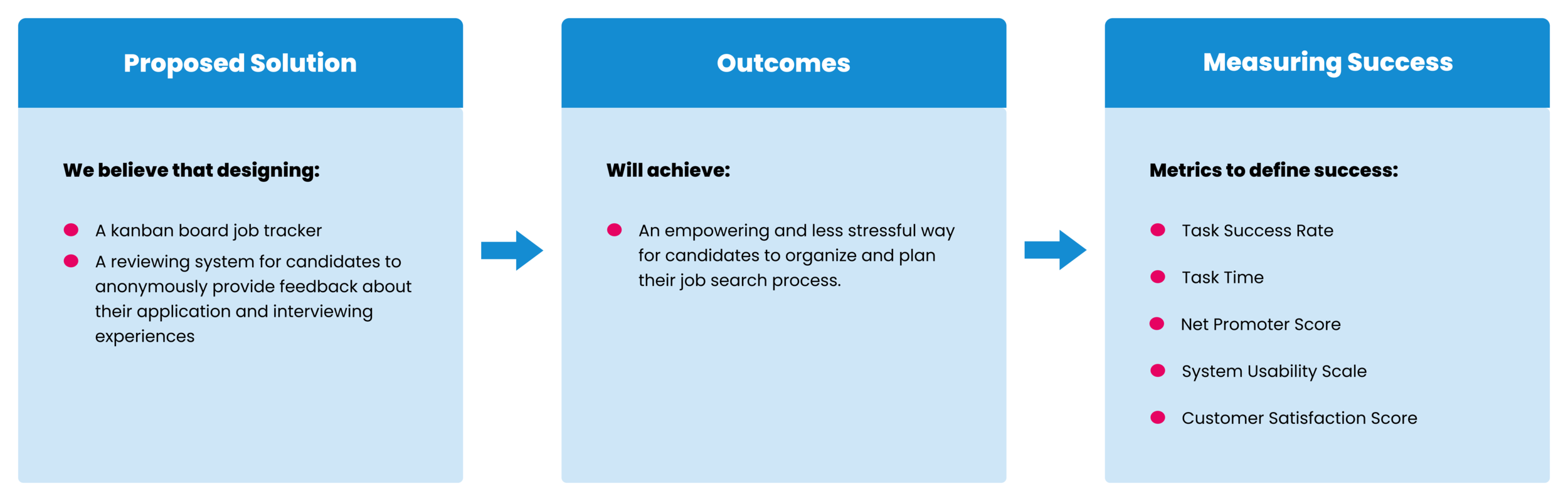
HOW THIS WILL ADDRESS USER NEEDS
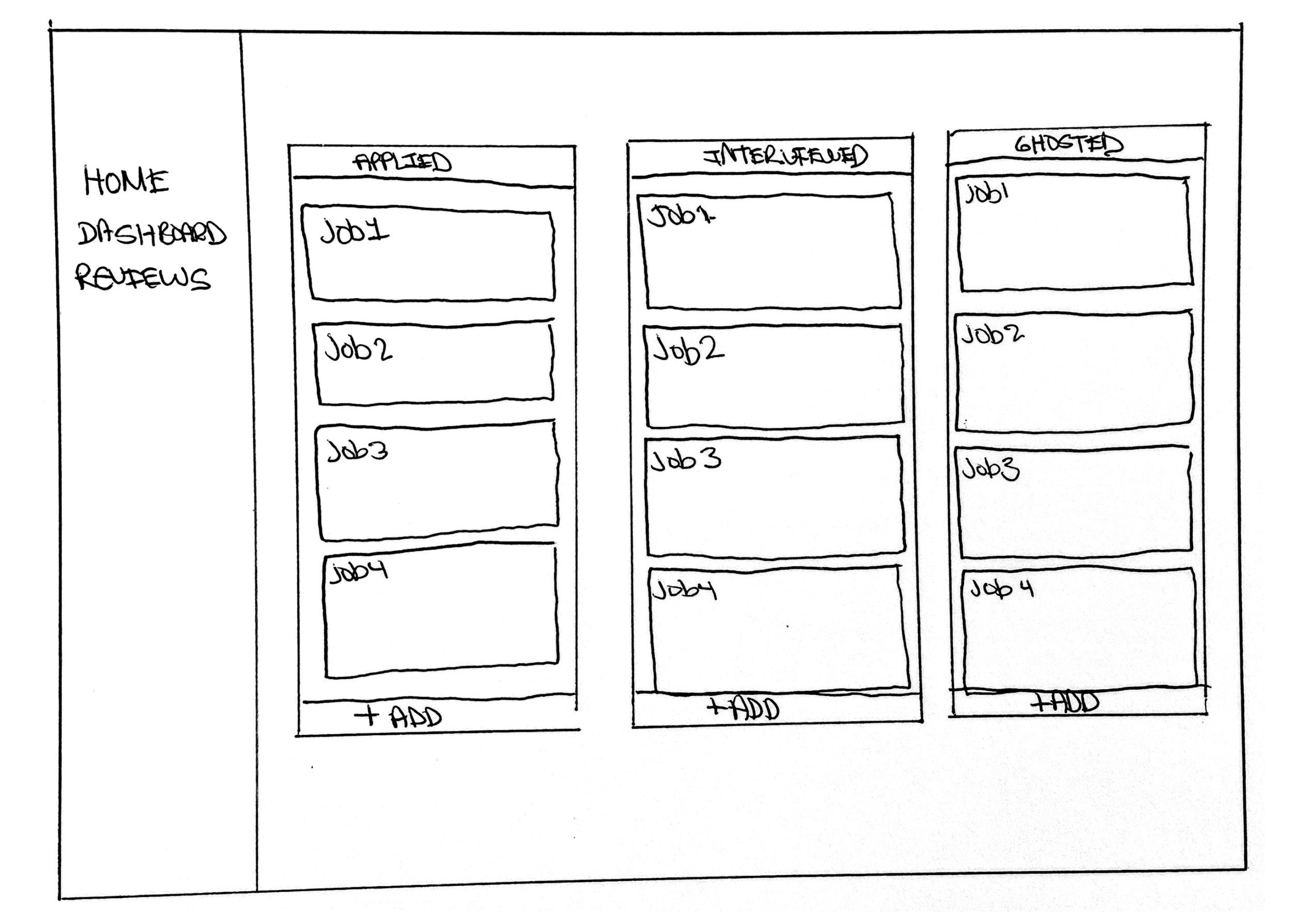
Kanban Boards:
Information visualization. Users have an instant overview of where they are at each step of their job search process and can easily highlight areas of inefficiency.
Increased productivity. Cards and columns allow users to break down each application task into smaller and more manageable steps increasing productivity and decreasing the feeling of being overwhelmed.
Staying motivated. By visualizing the beginning, middle, and end points of their job search process users are able to have a clear indication of their accomplishments and stay motivated.
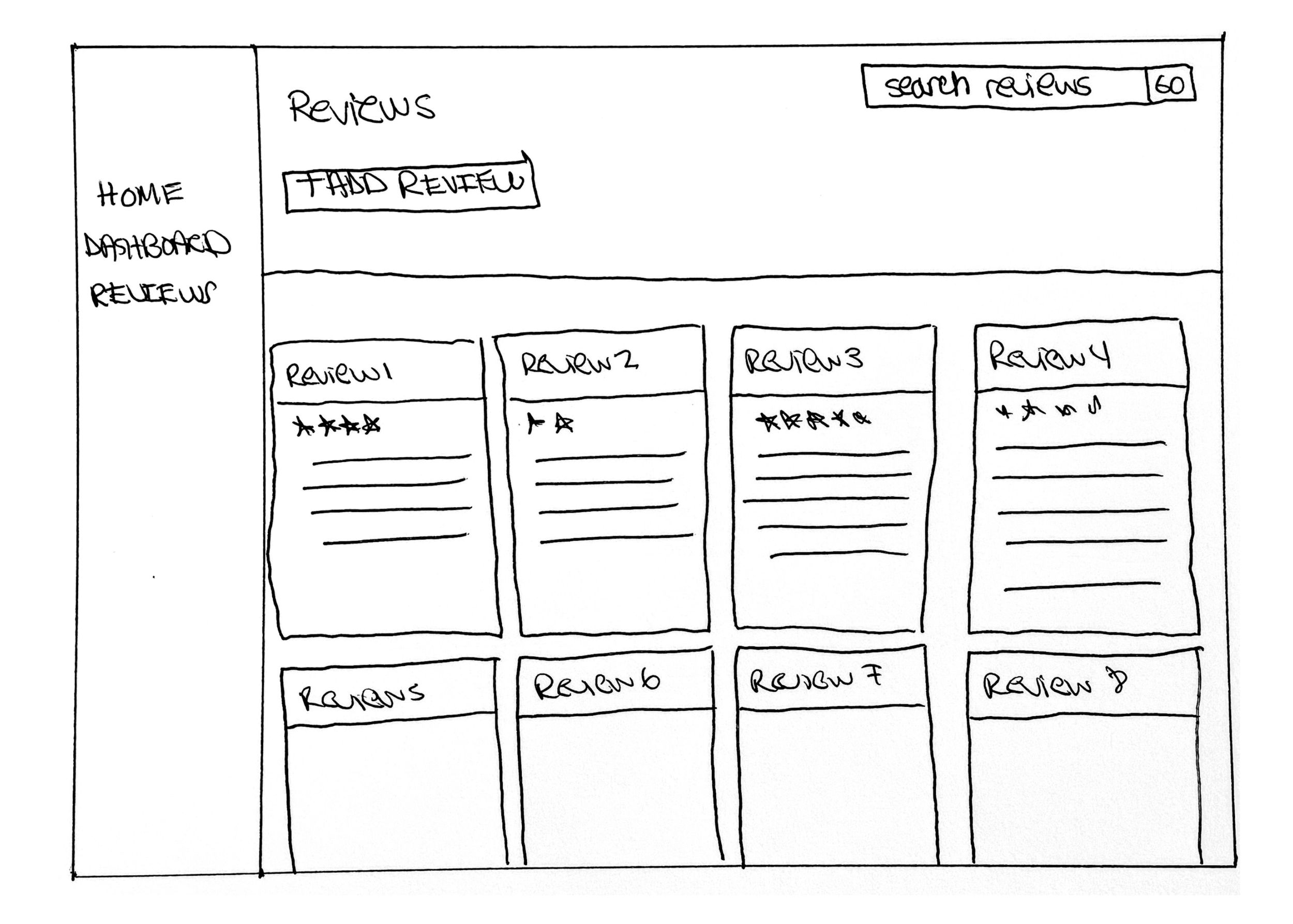
Reviewing System:
Transparent Information. By reading reviews on other people’s applications and interviewing experiences, users will be able to get an insider look at what a company’s hiring process will be like.
Empowered to speak up. The ability to review a company’s hiring process will empower users to raise their voices to create a more equitable balance of power between themselves and potential employers.
Increased Support Exchanging experiences with other job candidates will help our users feel a sense of community and belonging during their job search process.
MVP FEATURES
Defining MVP Features
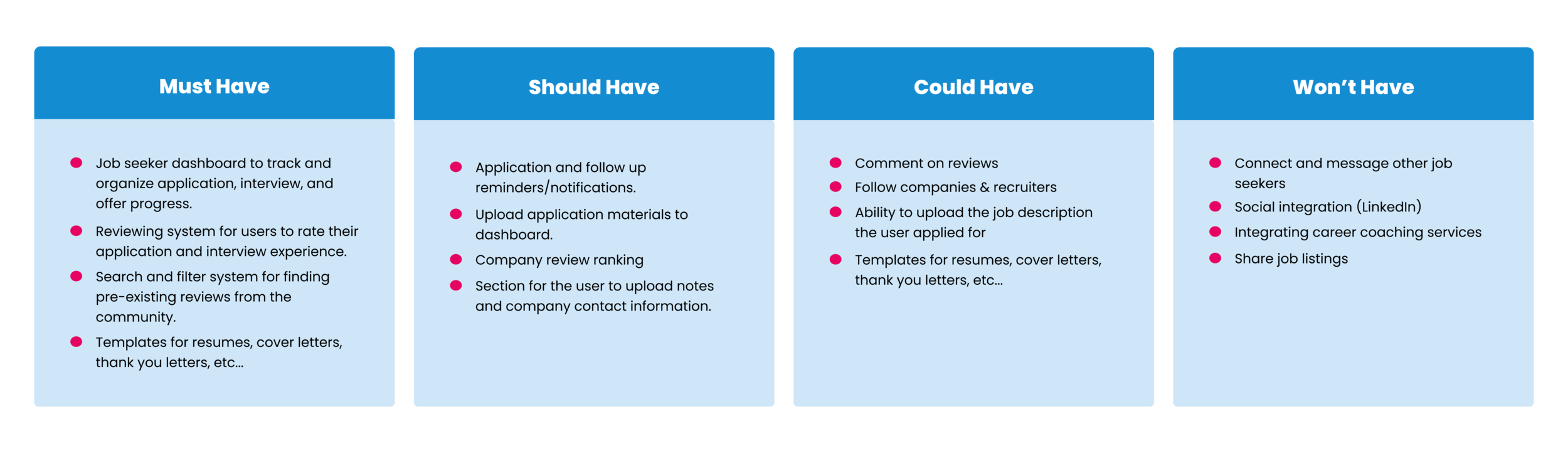
With only 3 weeks to deliver a final prototype to our client, we first needed to solidify our list of MVP features that appealed to both our client’s business goals and our user’s needs.
MVP FEATURE PRIORITIZATION
GRAYSCALE PROTOTYPE
Sketches to Grayscale
JOB TRACKER DASHBOARD

ADD REVIEW

DISCOVER REVIEWS

USABILITY TESTING
Testing our hypothesis
Next, we designed a grayscale prototype and conducted usability testing to understand if our design responded to the users’ needs and performed as expected. We gave our users 3 tasks:
USABILITY TESTING TASKS:
Create a card to track a new job application.
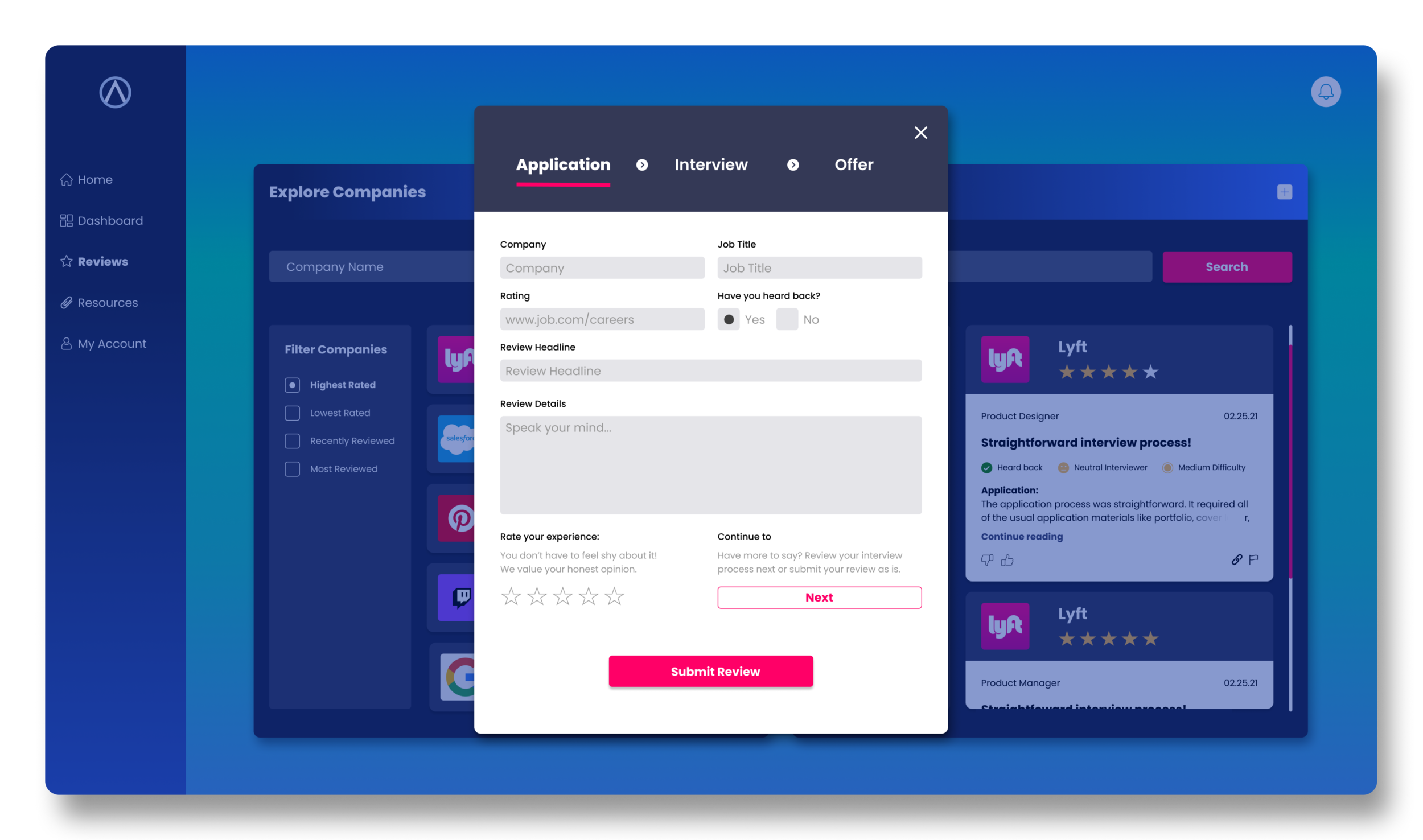
Create a review to rate your application experience.
Find reviews by company.
CREATE CARD BEFORE
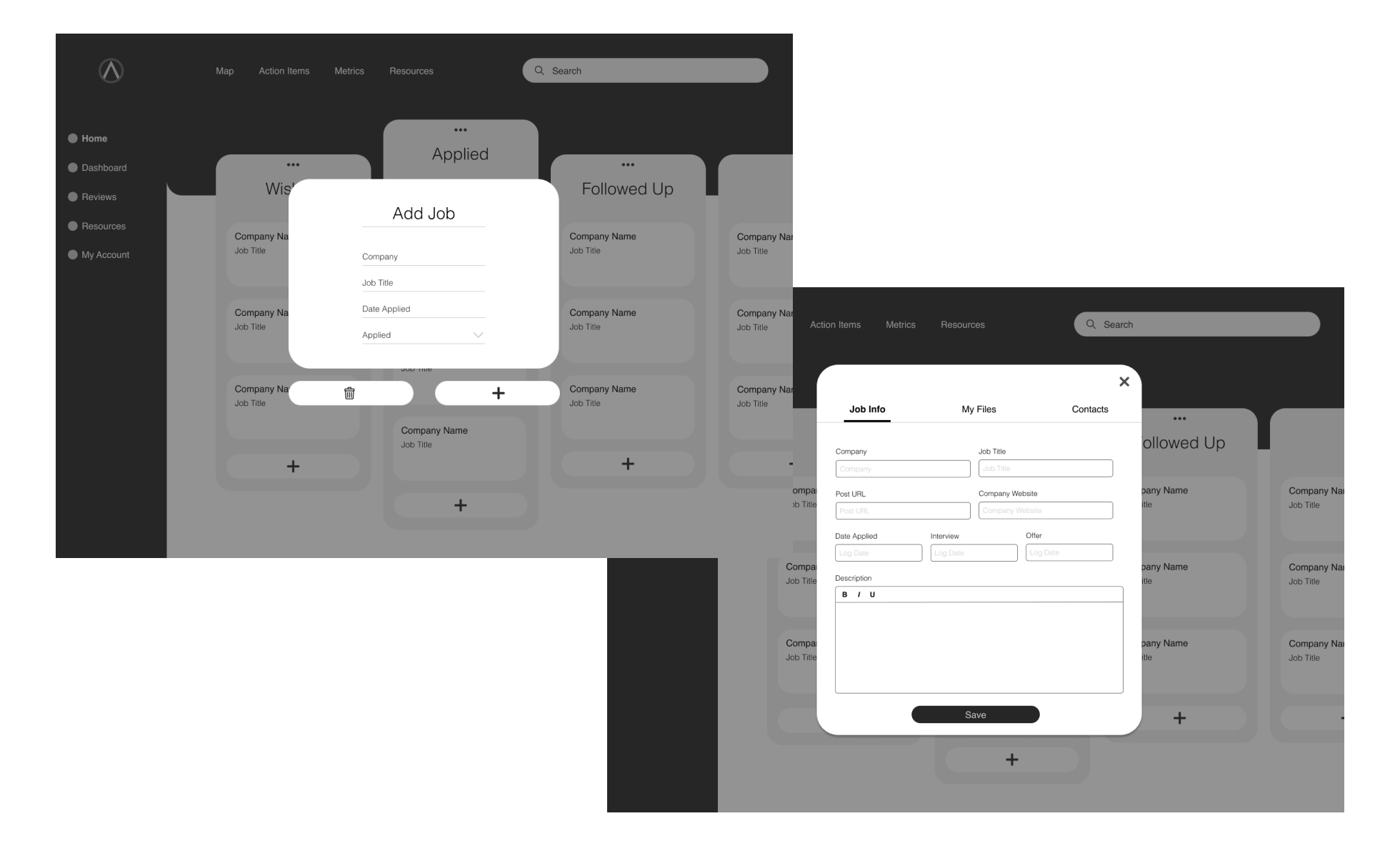
Insights:
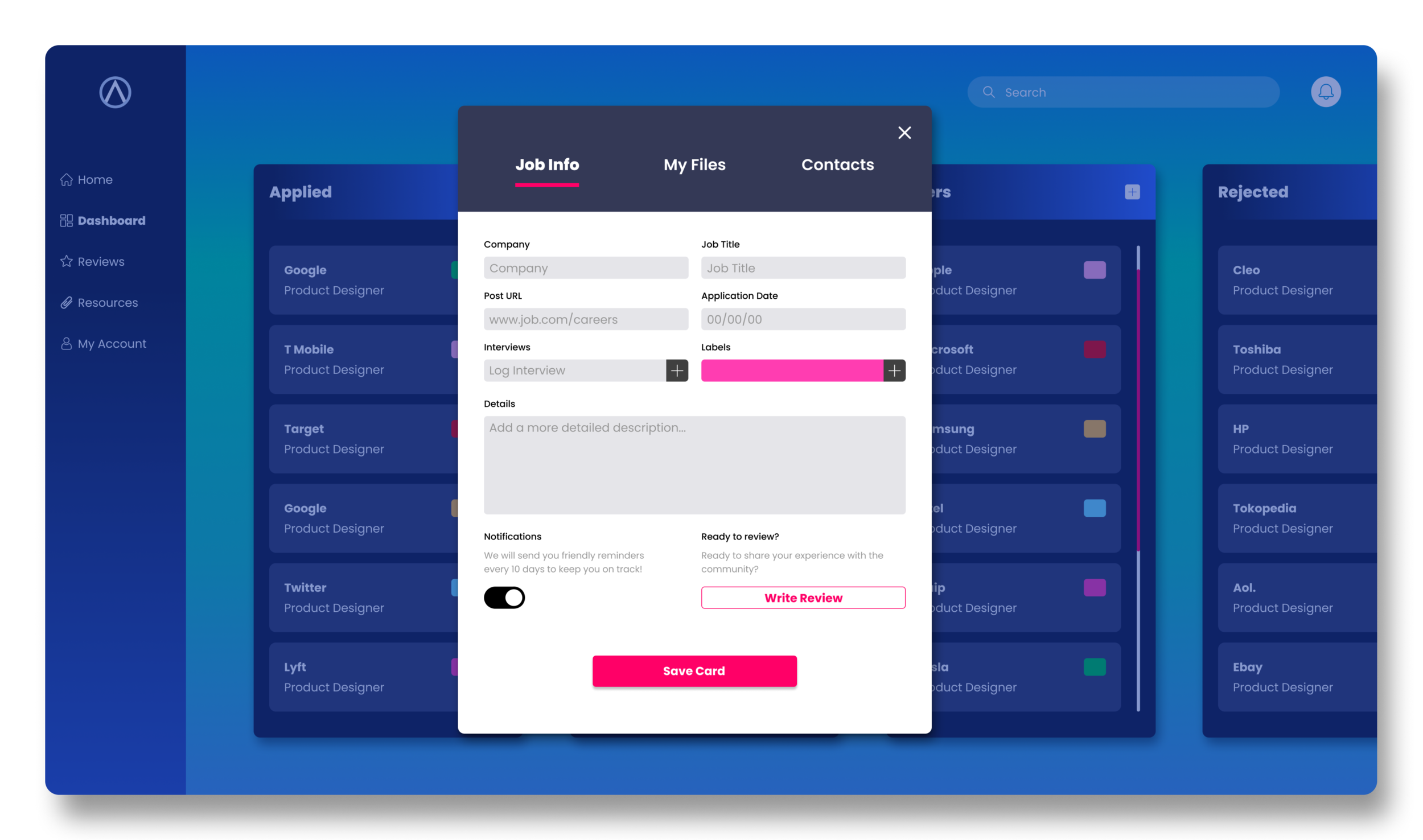
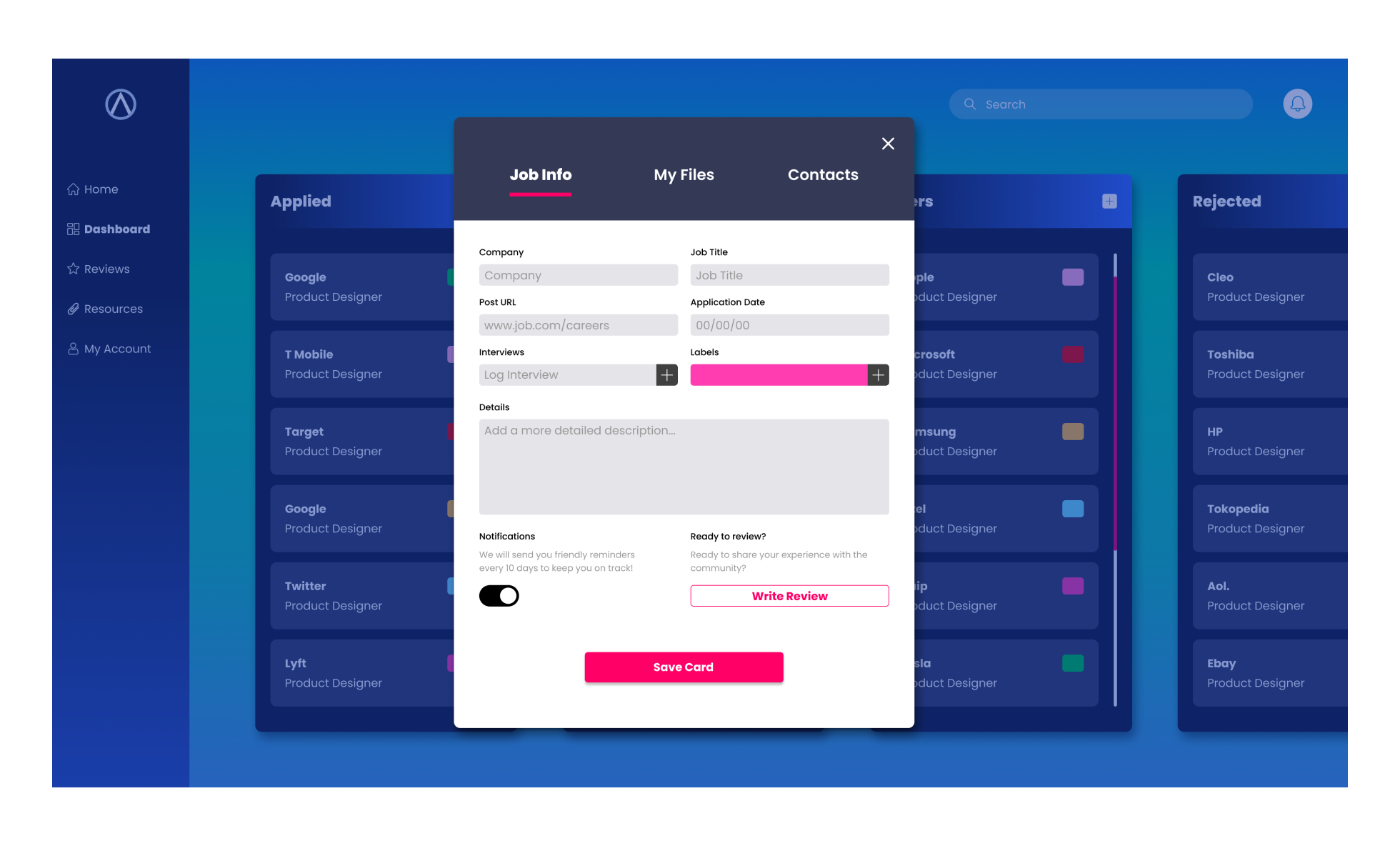
4 out of 4 users disliked the two-step process of creating a new card to track a job application.
3 out of 4 users expressed wanting a way to log multiple interview rounds.
3 out of 4 users expected to have a way to be notified of updates and reminders.
3 out of 4 users wanted an easy way to add a review from their card.
CREATE CARD AFTER
Iterations:
Simplified card creation to a one-step process.
Result:
Decreased task time from 12 seconds to 7 seconds to create a card to track a job application.
Task success rate now 100%.
Added a feature to log multiple interview rounds.
Added button for users to opt into card notifications and reminders.
Created a call to action button to seamlessly navigate to add a new review from the card.
Added option to label card by color.
EXPLORE REVIEWS BEFORE
Insights:
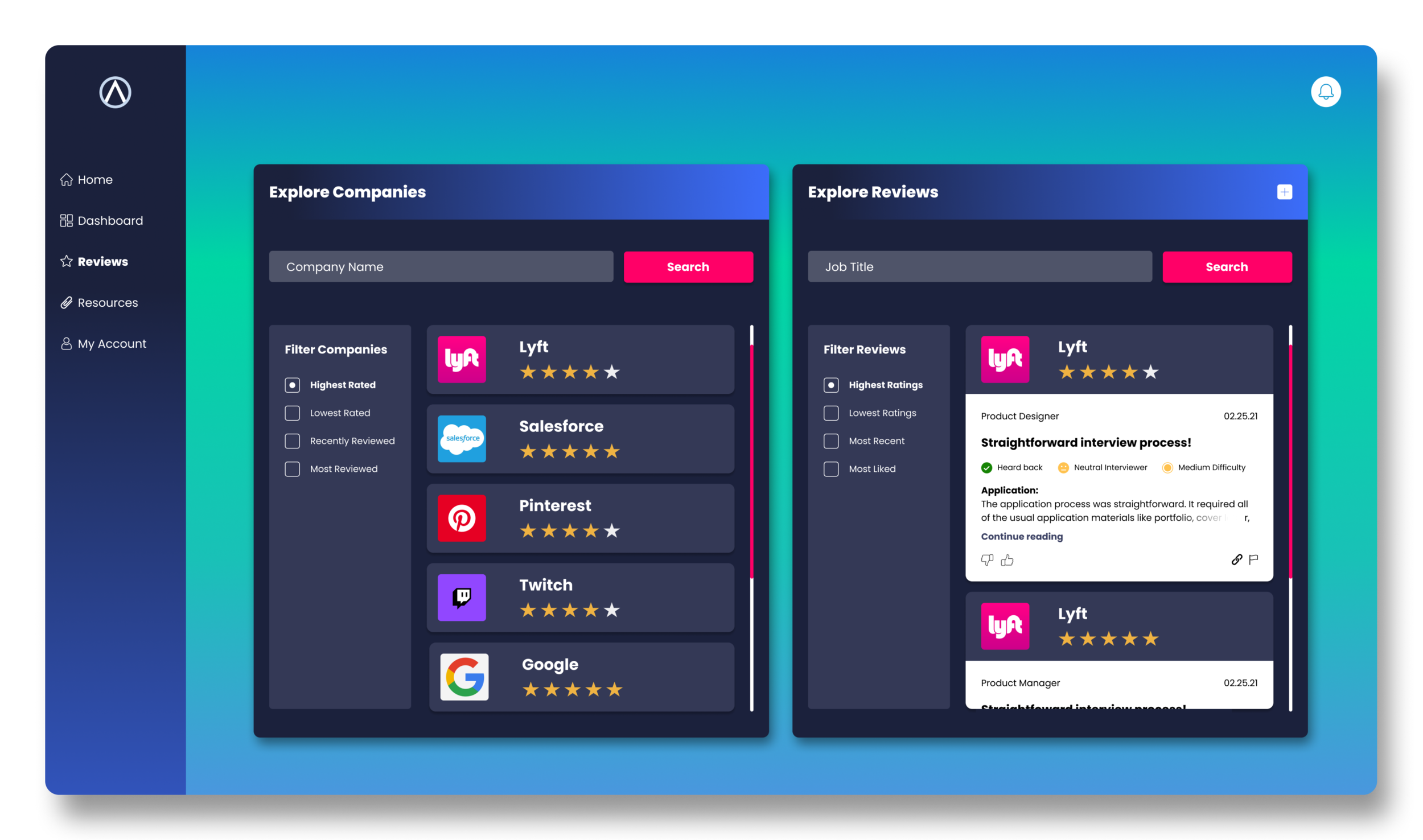
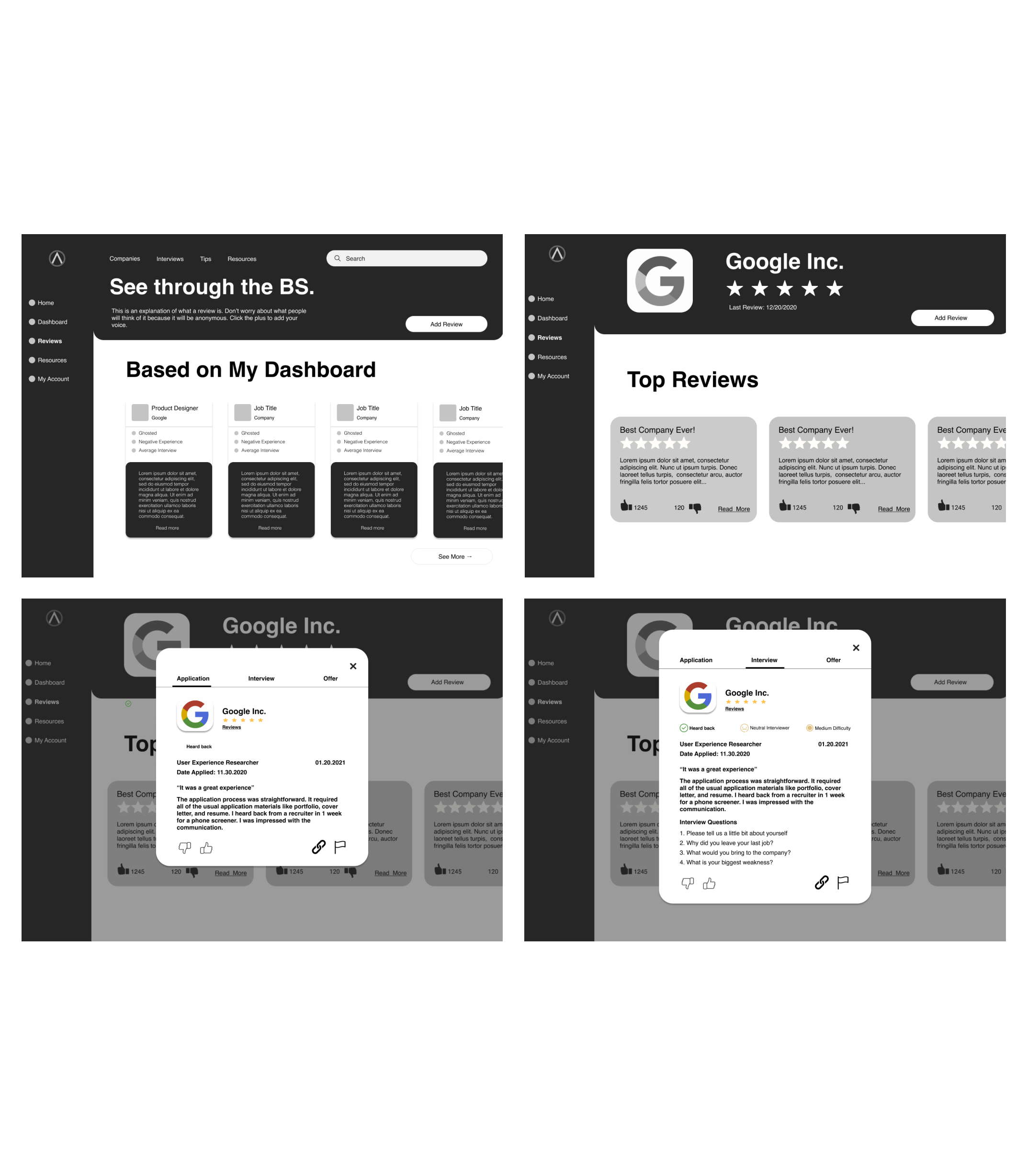
4 out of 4 users expressed wanting a more optimized filtering system for searching for reviews to read.
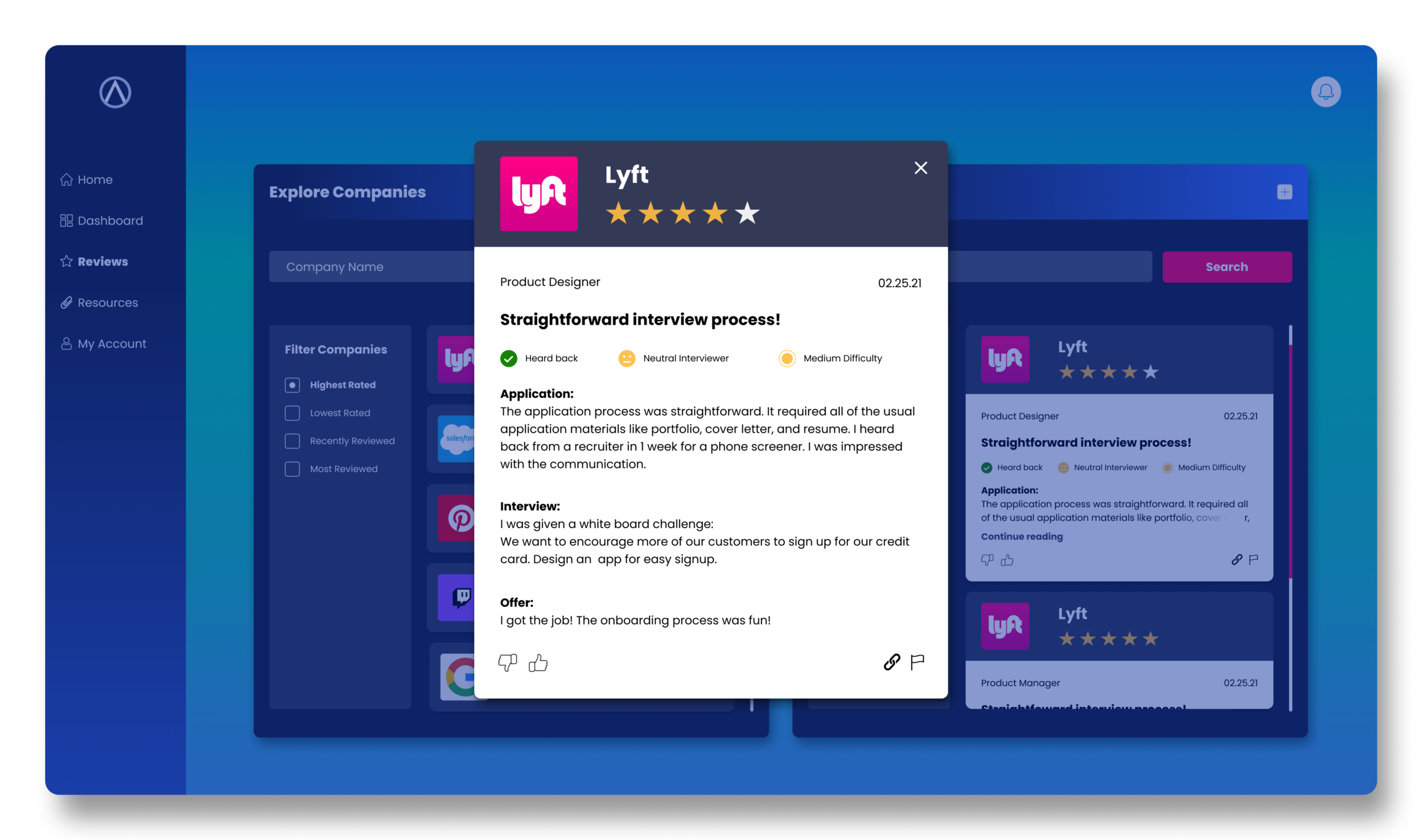
3 out of 4 users had trouble navigating to the company review page and the individual company review.
EXPLORE REVIEWS AFTER
Iterations
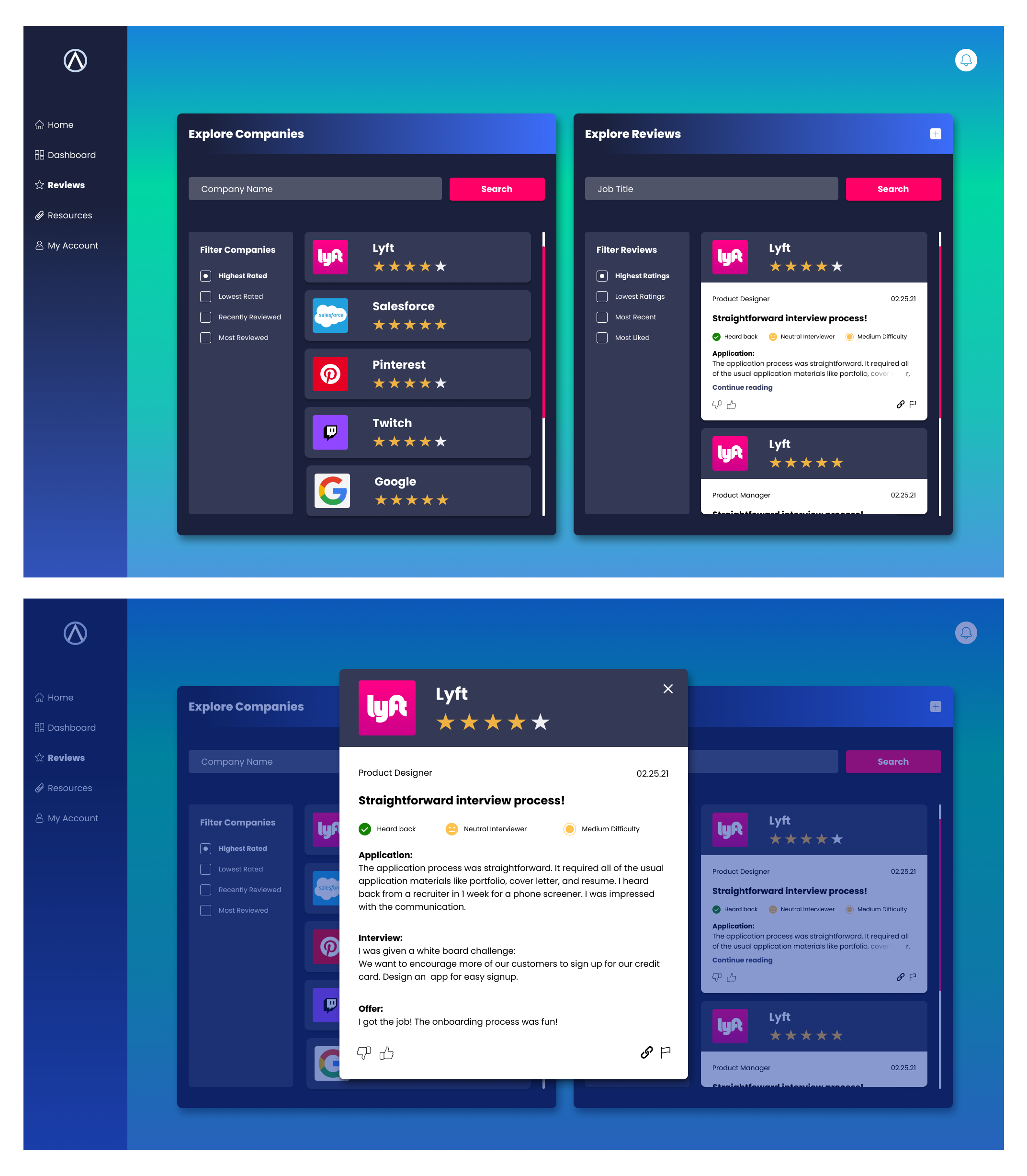
Redesigned the Reviews screen so that the “Explore Companies” search and “Explore Reviews” search is on the same screen. Also modified the individual company review to list the entire review (application, interview, and offer reviews) on a singular screen.
Result:
Decreased task time from 20 seconds to 10 seconds to search for company reviews and read an individual review. '
Task success rate now 100%.
Added search bar and filtering systems to “Explore Companies” and “Explore Reviews” sections.
DESIGN SYSTEM
DESIGN SYSTEM
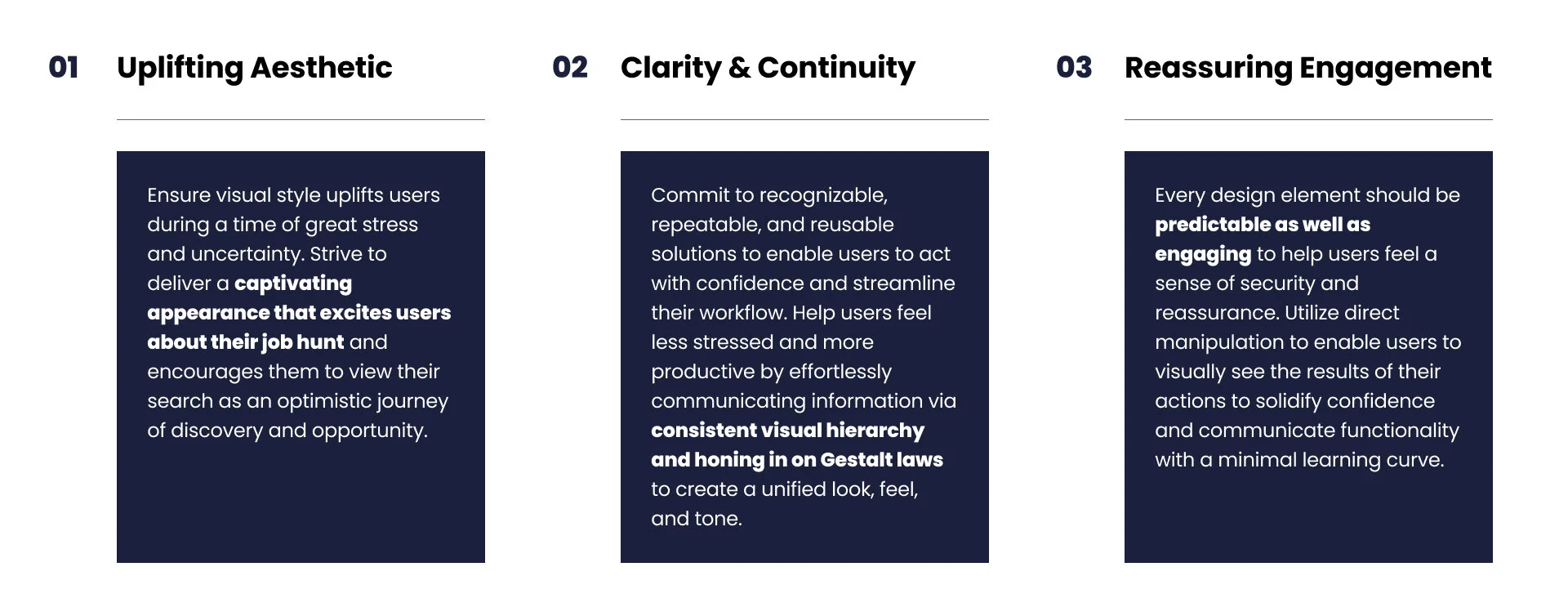
Design Principles
DESIGN SYSTEM - STYLES
Color, Typography, & Spacing
The combination of vibrant gradients, navy blues, and a pop of bright pink were chosen to create a balance of energetic optimism while still maintaining a sense of professionalism and intelligence.
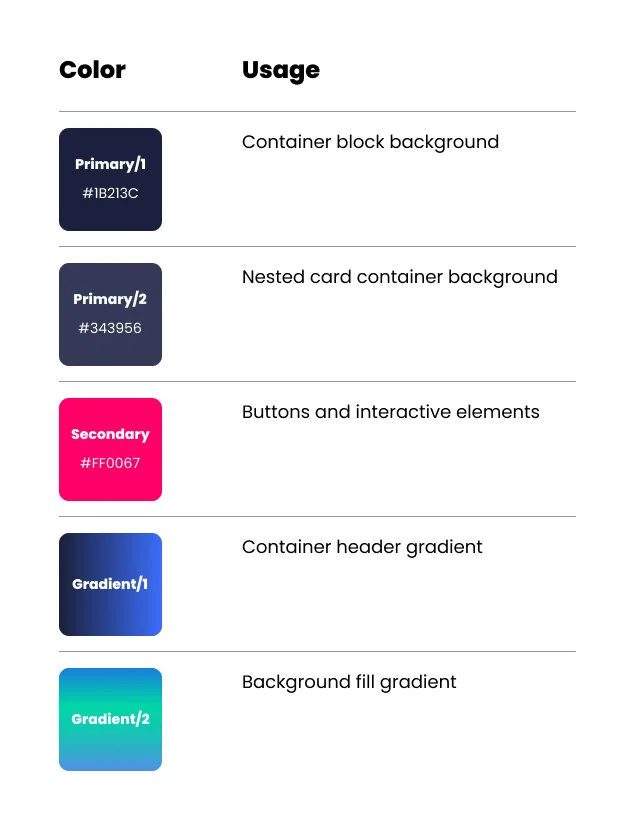
Primary and Secondary Colors:
Navy blues and a pop of pink are at the centerpoint of the color palette creating a refreshing and modernized take on traditionally rigid corporate blue color palettes.
Container Header Gradient:
A bold and vibrant blue gradient used to energize and inspire users.
Background Fill Gradient:
A light blue and green fill gradient for the background was chosen to emit a feeling of renewal and growth.
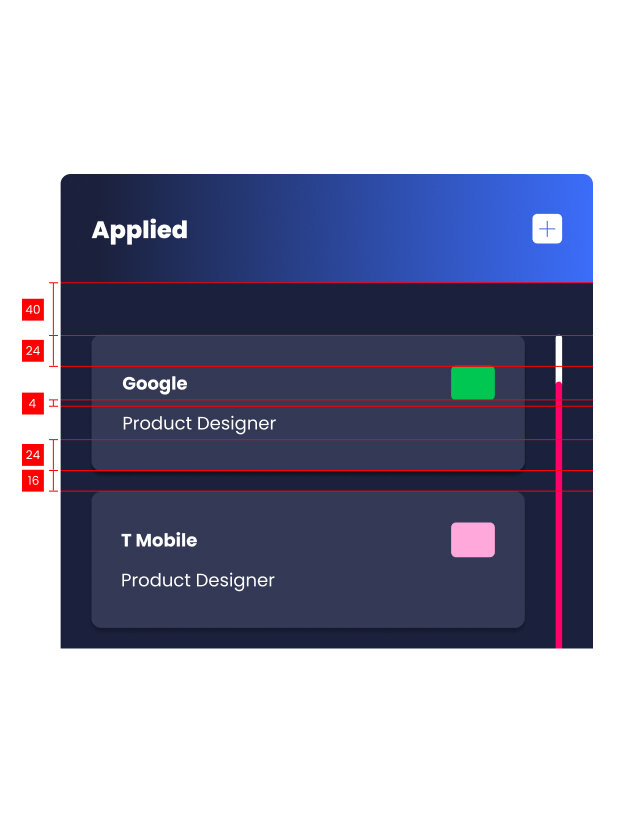
Spacing System: 8pt Grid
All spacing for components and typography align to increments of 8 pixels.
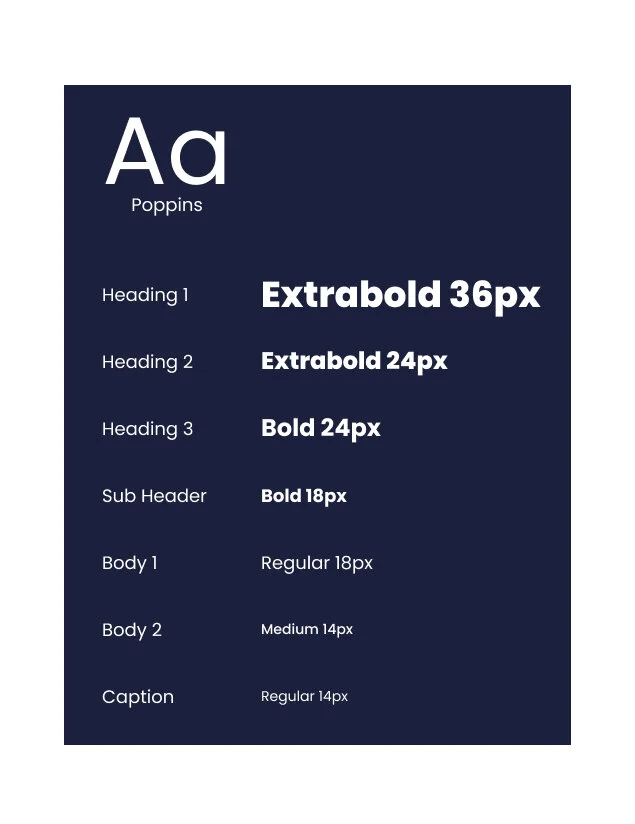
Typography
Poppins
DESIGN SYSTEM - COMPONENTS
Kanban Board Components
.
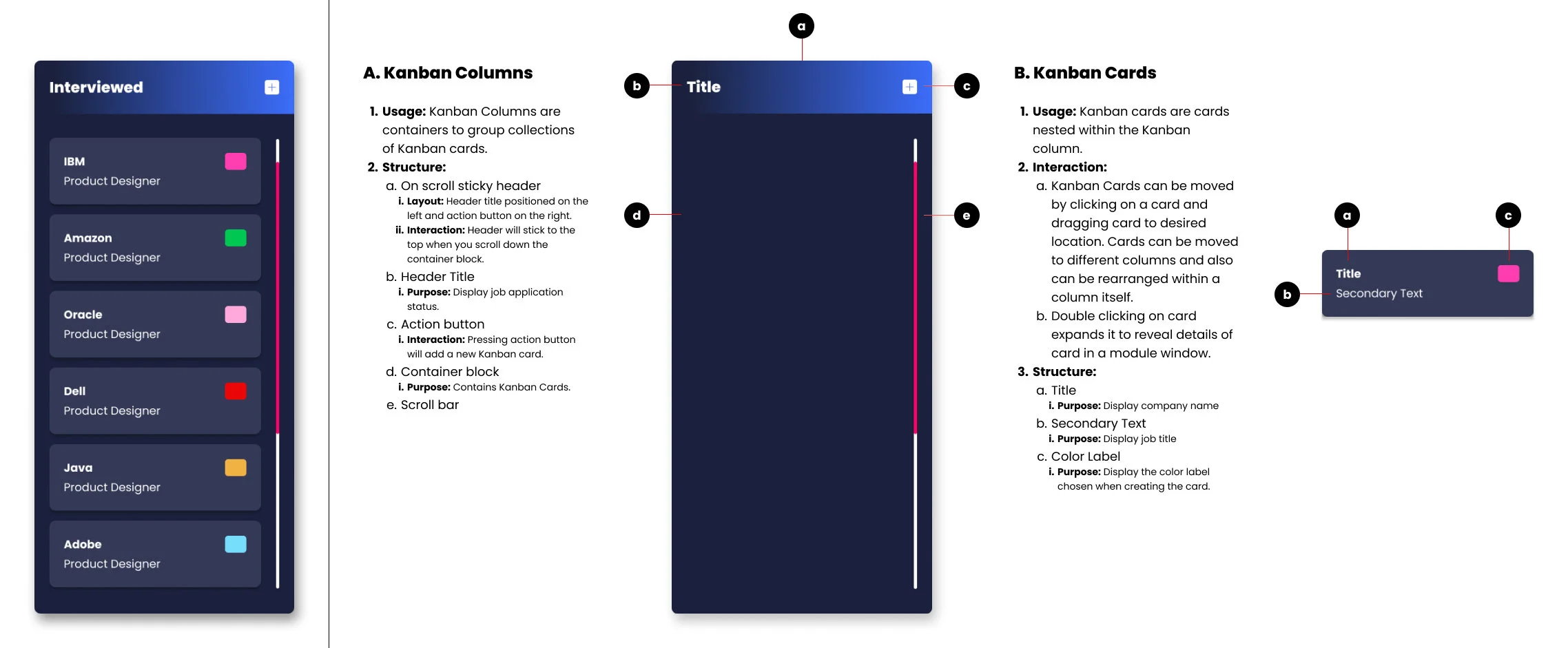
DESIGN SYSTEM - COMPONENTS
Review Components
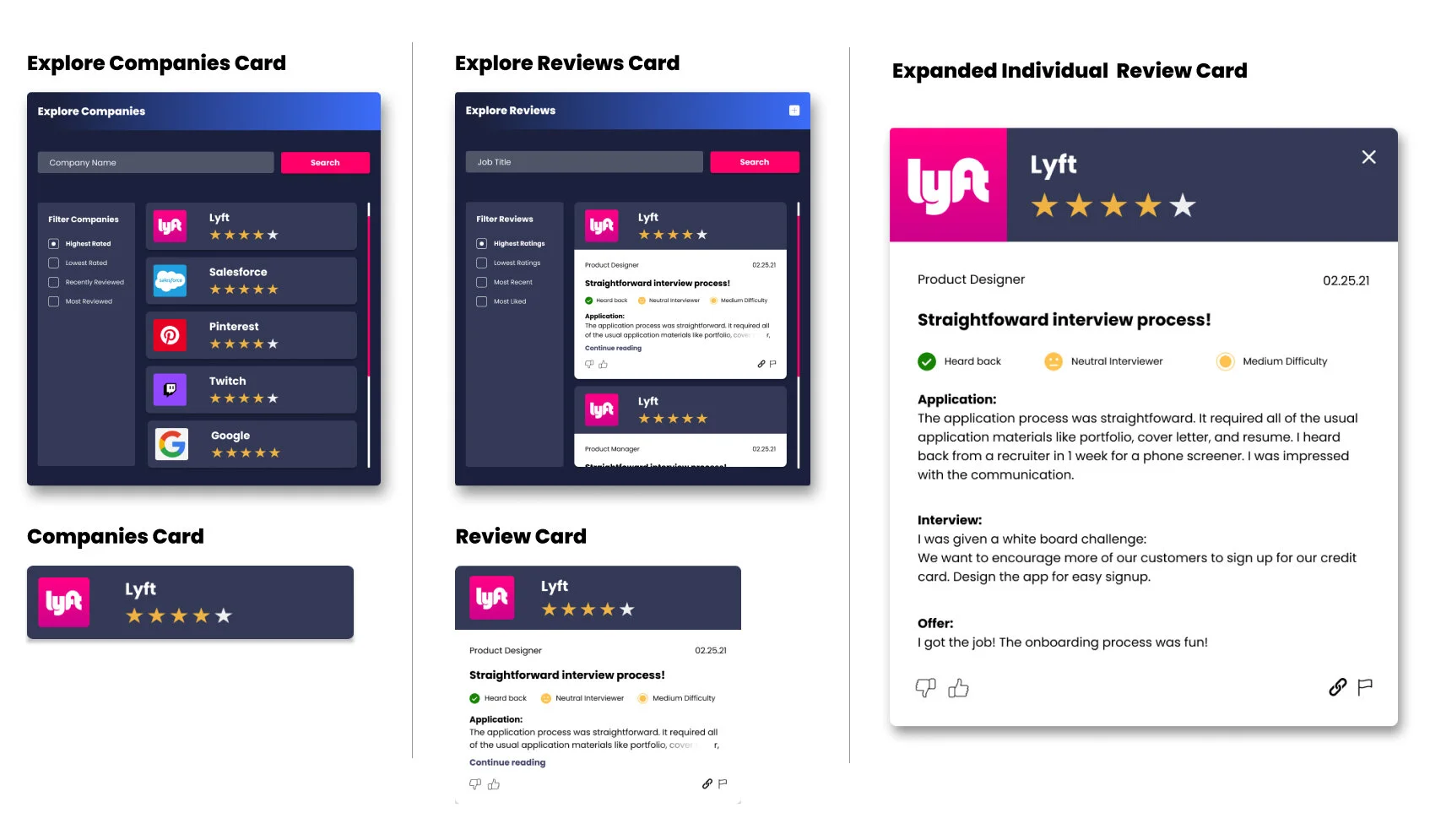
DESIGN SYSTEM
Input Field Card Components
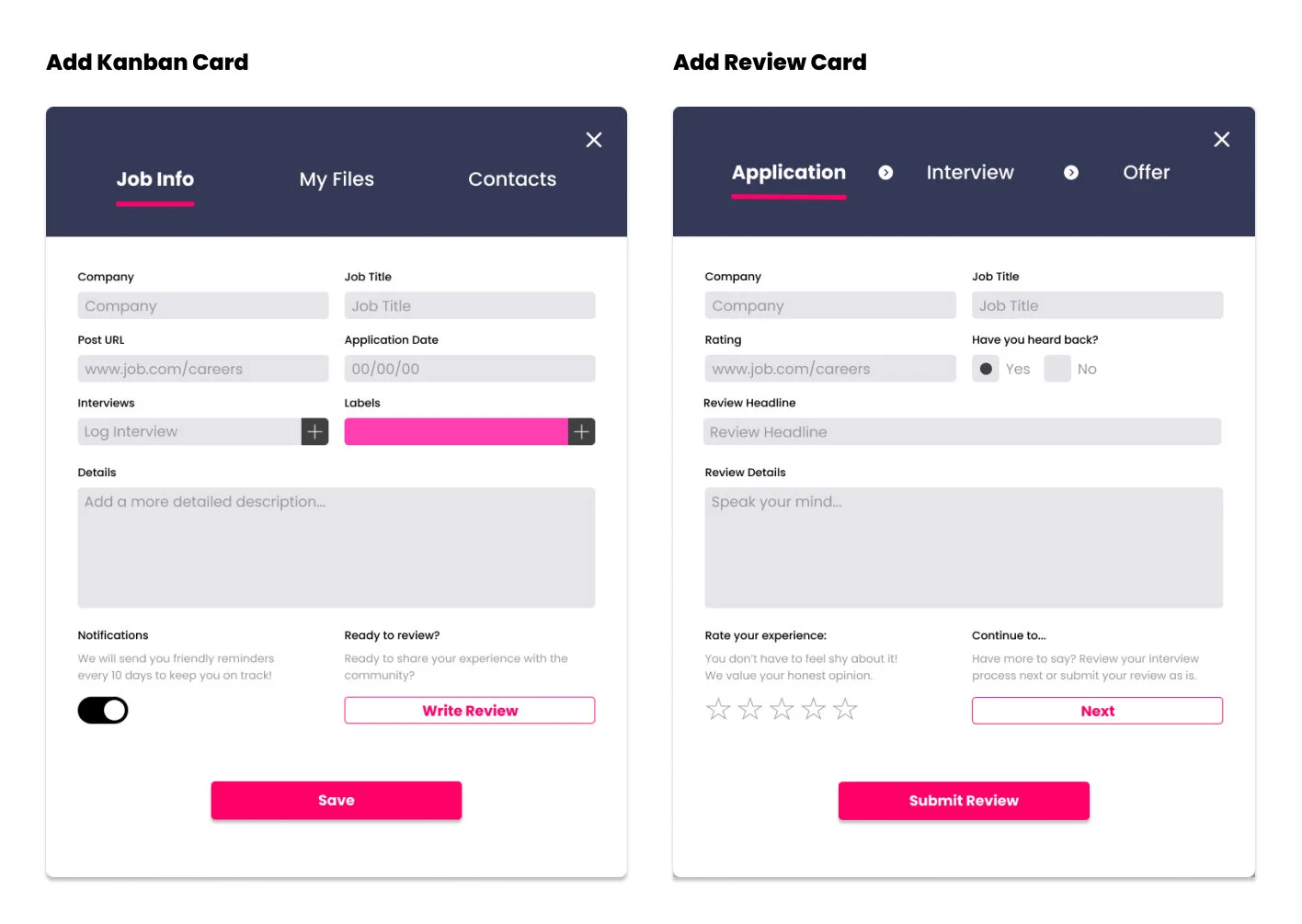
FINAL PROTOTYPE
DELIVERY
Product Features
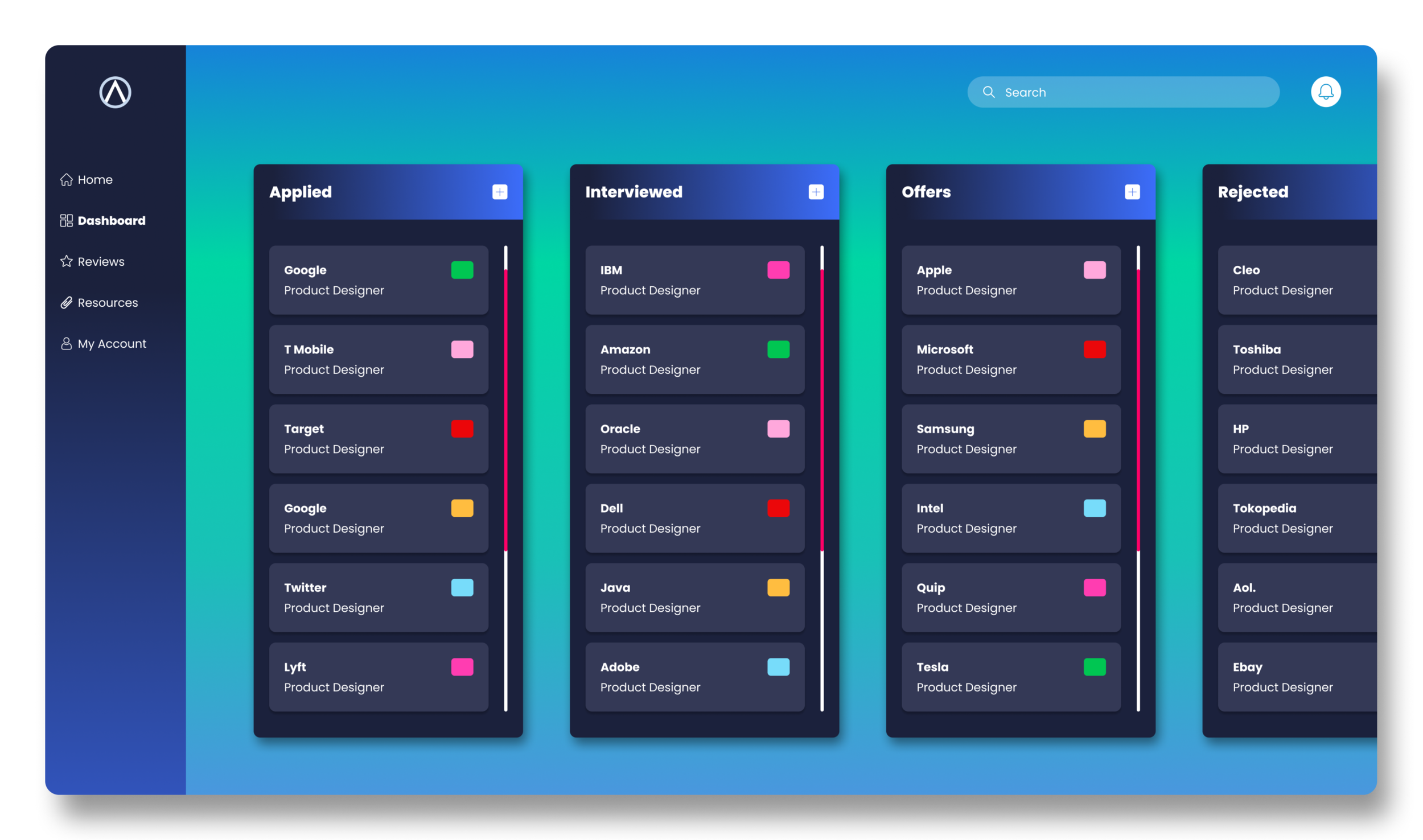
Job Tracker Dashboard
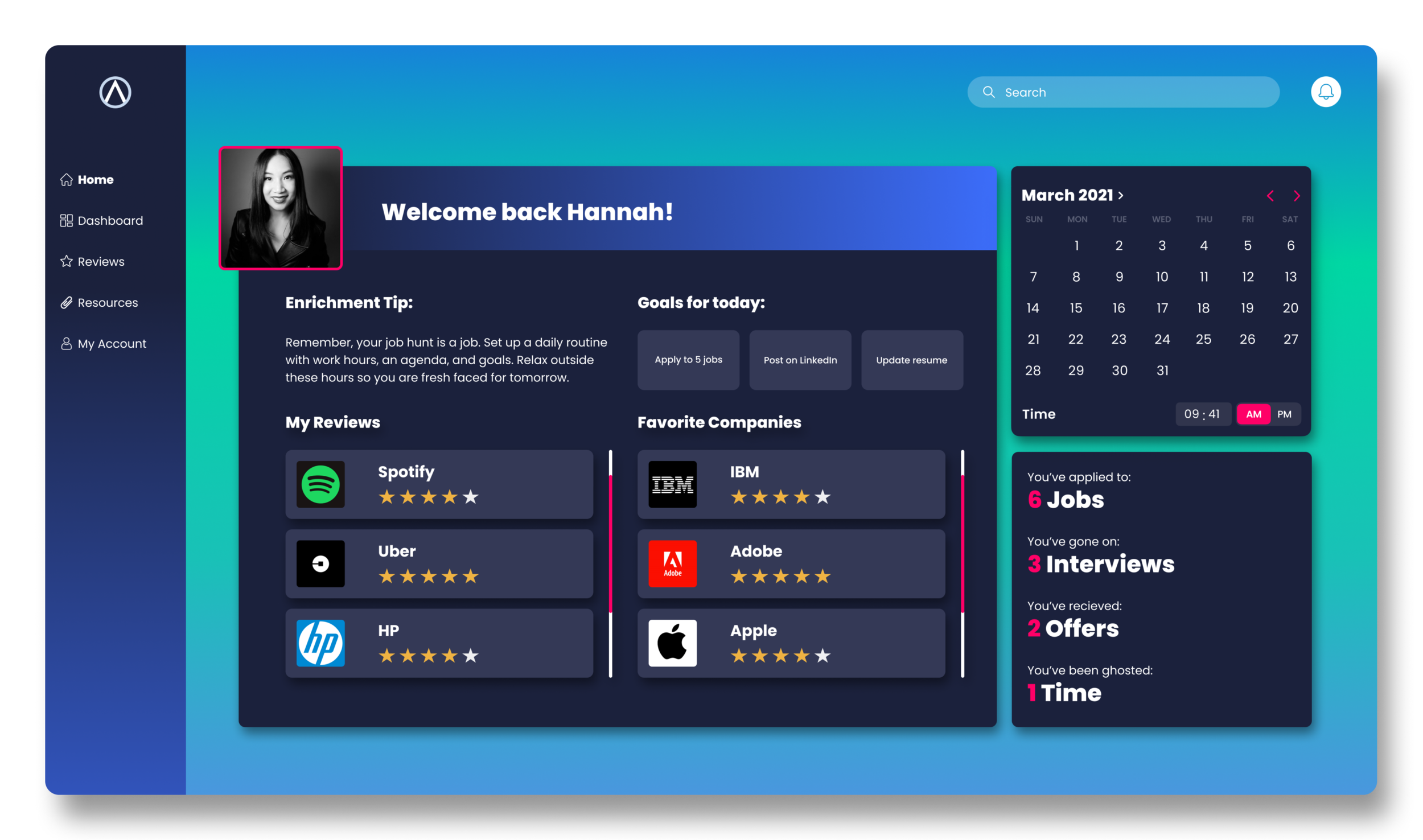
Seamlessly track job applications, interviews, and offers all in one place. Our dashboard saves users the stress of organizing and planning their job hunt process.
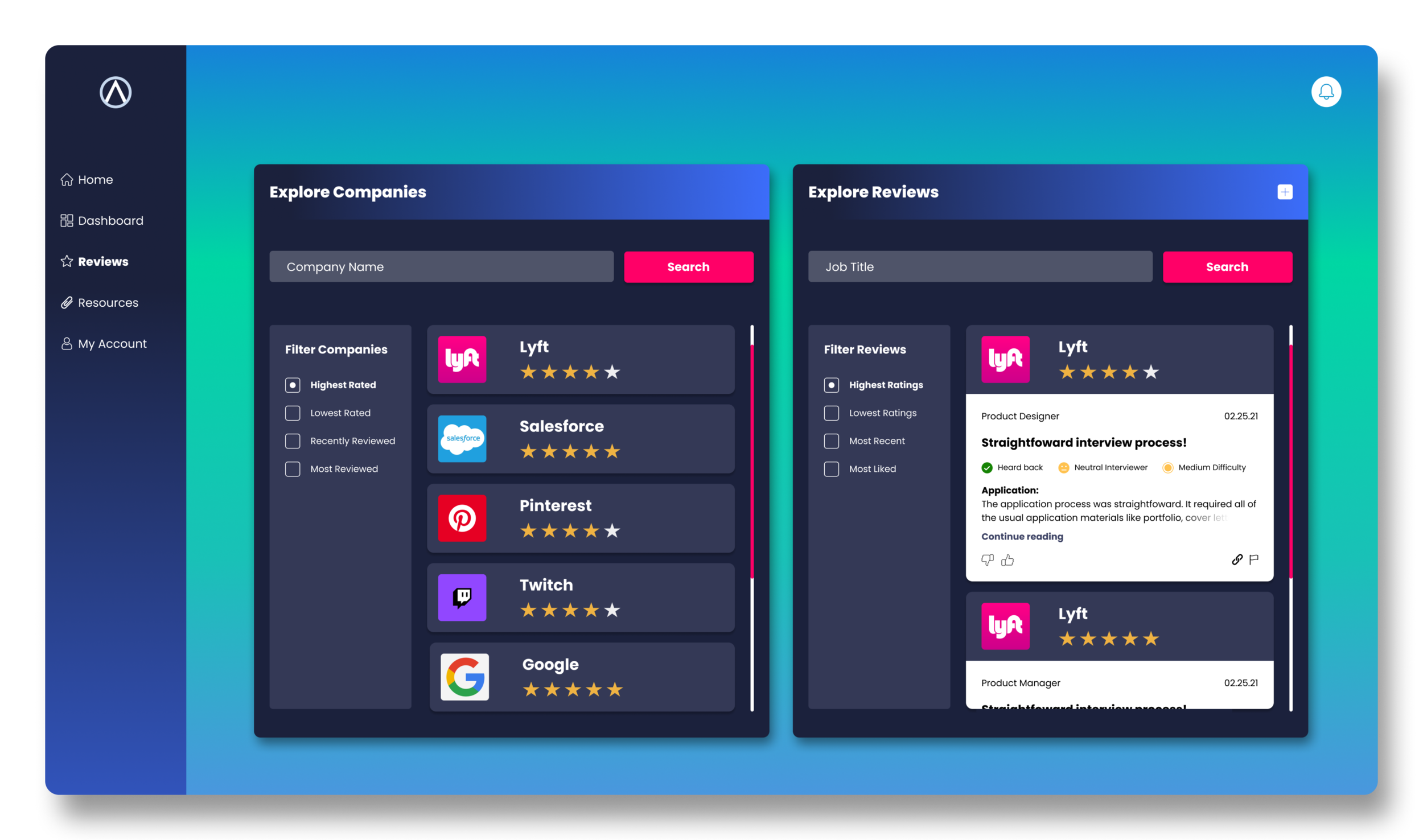
Explore Reviews
Read candid reviews and see what other users’ experiences were like with application, interviewing, and onboarding processes at different companies. Our reviews feature creates a sense of community and belonging so that users know they are not alone in their job hunt process.
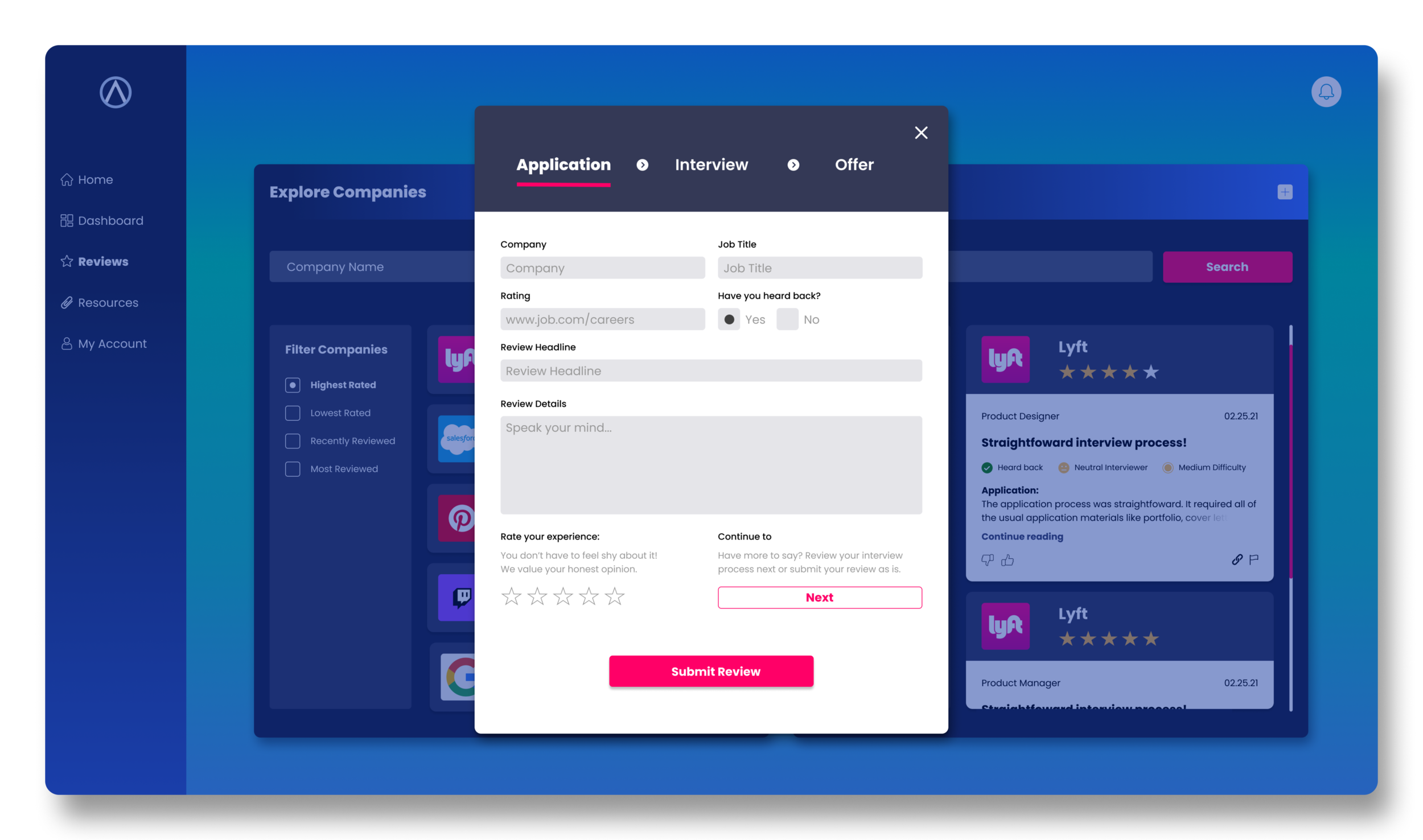
Write Reviews
Anonymously provide feedback about application, interviewing, and onboarding experiences to create a more equitable balance of power between companies, recruiters, and those seeking employment. Users are empowered to raise their voices and be vocal about what they liked and/or disliked with their job hunt process.
REFLECTION
Next Steps
After handing off our final prototype to our client we made a few suggestions for further future considerations to refine and perfect the product.